The country gallery
How the country gallery works: find and mark countries, open a country's album, review new memories in the queue, and choose cover photos.
Last reviewed: 2026-10-06
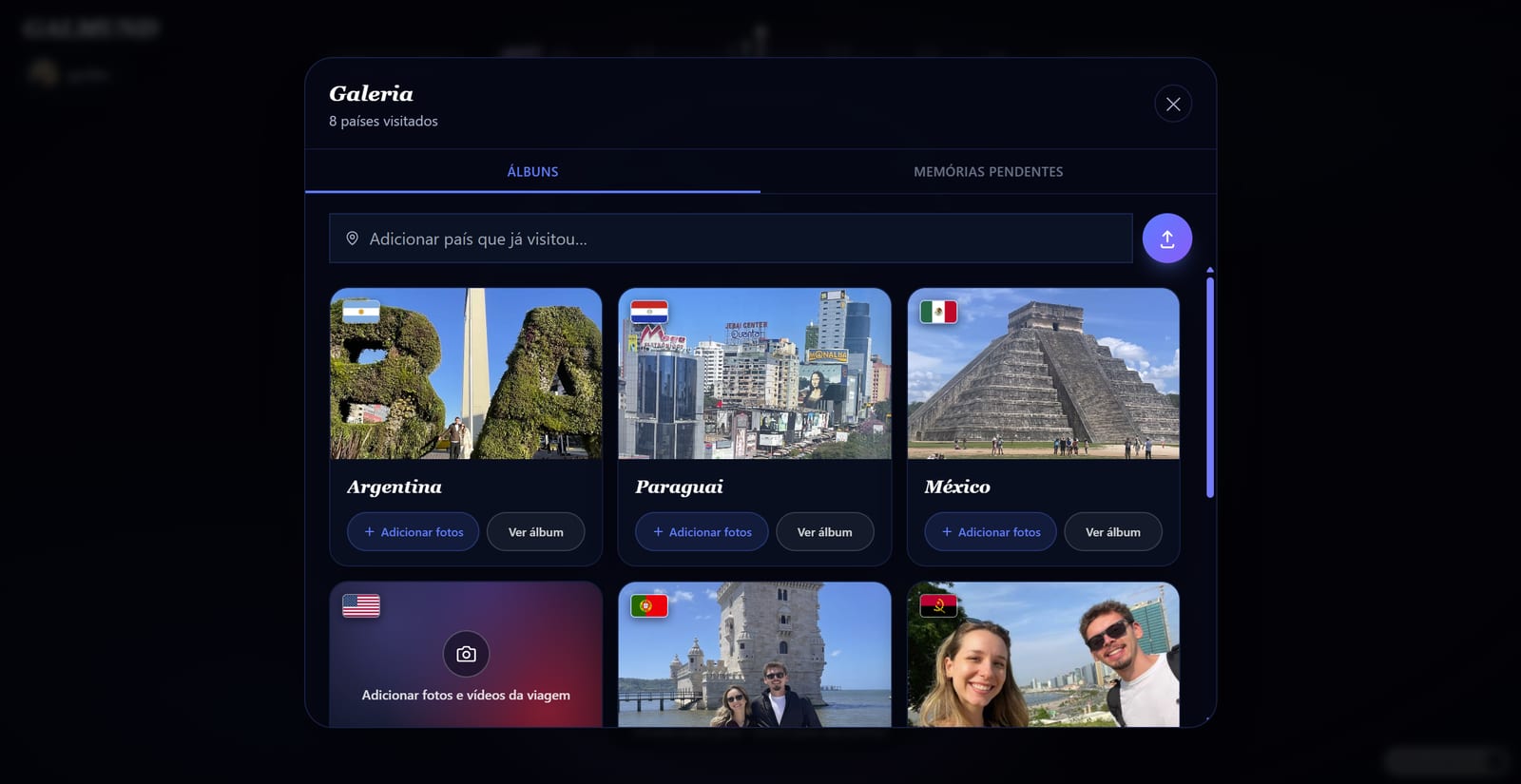
Every country you've been to lives in one place: the country gallery, titled My countries gallery. Your countries are listed one per row, each with its photo and how many memories and trips it has, and each one opens an album with that country's trips and memories.
Opening the gallery
Tap Gallery in the menu. On a computer, the gallery also slides in from the left by itself when you zoom all the way out on the globe, or when you move the mouse to the left edge of the screen; move the mouse away and it tucks back in. If your globe is still empty, it stays open.
The bar at the top
The first thing in the gallery is a bar that changes with what you have to do:
- N memories waiting: photos and videos you added that still need a quick review. Tap it to open the queue.
- Add your next memory: nothing is waiting. Tap it to add photos and videos.
Finding and adding countries
Use Search or add a country at the top:
- Tap the field to see the countries you already have, and tap one to open its album.
- Type a name to filter your list of countries. The list splits into Your countries and Mark as visited. Tap a country under Mark as visited to add it, even without photos.
Countries without memories yet show up without a magnet. The magnet comes with the first memory. See country magnets and Marking the countries you've visited.
A country's album
Tap anywhere on a country to open its album inside the gallery, and the globe flies to that country. Going back always takes you to the start of the gallery.
- Your memories there are already grouped into trips, by date and place, with the most recent ones first. Rename a trip or move a memory to another trip if the grouping isn't right.
- Search by name or location finds trips and memories inside the album.
- Add files to {country} at the bottom opens the queue with that country already chosen.
Tap a memory to open it, and the globe flies to where it was taken.
The memory queue
New photos and videos wait in the queue before they go on the globe. You see one memory at a time, with a counter like "1 of 3": use the arrows on a computer or swipe on a phone. For each one, check the place and date, set it as public or private, and tag people if you want.
When a memory has its place, it shows as Ready. Tap Publish to publish the ones that are ready, or Publish all when every memory is ready. Publishing keeps going in the background, so you can go back to the globe right away. See Uploading your first memory.
Cover photos
Open the ⋮ menu on a country's card to Add a cover photo or Change cover photo, add trip photos and videos, or remove the country. Inside the album, you can also turn any photo into the cover with Make cover in that file's menu, and change a trip's cover with Change cover.
The Free plan limit
On the Free plan, each country holds up to 10 photos or videos. Your very first upload goes in whole, even with more than 10 from one country; from then on, adding more to a full country asks you to upgrade. Galmund+ and Member remove the per-country limit. See Upgrading your plan.
⚠️ Remove country only works while the country has no memories. Once it has earned its magnet, delete the memories in it first if you want the country gone.
Frequently asked questions
Where is the country gallery?
Tap Gallery in the menu. On a computer it also slides in from the left on its own when you zoom all the way out or move the mouse to the left edge of the screen, the same way Explore slides in from the right.
Do I need to upload a memory before I can add a country?
No. Type the country in Search or add a country and tap it under Mark as visited. It joins your gallery right away, without a magnet, until you add your first photo or video there.
Where do my new photos wait before they go on the globe?
In the memory queue. When something is waiting, the top of the gallery shows how many memories are waiting; tap it to review them one by one and publish.
How many photos or videos can I add per country on the Free plan?
Up to 10 per country. Your very first upload goes in whole, even if it has more than 10 from one country; after that the limit applies. Galmund+ and Member remove it.
How does Galmund decide what counts as a trip inside a country's album?
Automatically, by date and place: memories close together in time and location form a trip. You can rename a trip, and move a memory to another trip if the automatic grouping gets it wrong.