Marking the countries you've visited
How to add a country you've visited to your Galmund globe, with or without photos, how to remove one, and how countries are counted.
Last reviewed: 2026-10-06
Galmund highlights every country where you have travel memories, turning your globe into a map of your life.
How to add a country
There are three ways, and the country lights up on your globe immediately with any of them:
- From the Gallery: open the Gallery and type the country's name in Search or add a country. The list splits in two: Your countries (ones you already have) and Mark as visited (the others). Tap the country under Mark as visited to add it.
- From the globe, on a computer: hover the country to see its flag and name, then tap Mark as visited in that little card.
- By uploading a memory: any photo or video taken in a country adds it automatically. See Uploading your first memory.
To open the Gallery on a computer, zoom all the way out or move the mouse to the left edge of the screen, and it slides in from the left. On a phone, tap Gallery in the bottom menu.
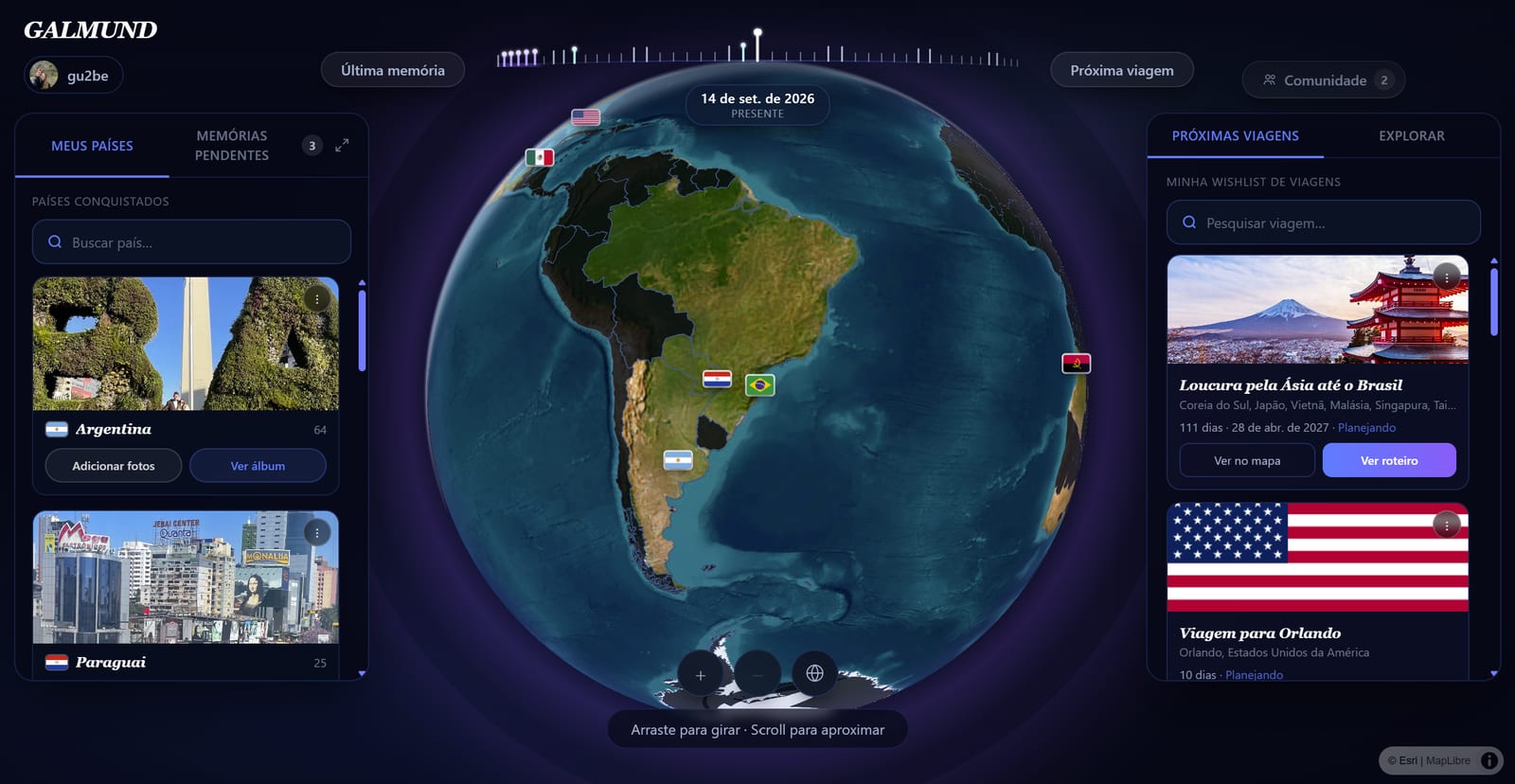
What the highlight means
- Dark countries: not marked as visited, and no memories there
- Highlighted countries: marked as visited, with or without a memory yet
- Countries with a magnet: have at least one memory; see country magnets for that reward
- Your home country: shown with a subtle state/province layer if "Show states" is on in your profile
A country you added without photos shows up in the Gallery with a dashed magnet until you add its first memory. See Country Gallery.
How to remove a country
Open the country's album in the Gallery, tap the ⋮ menu on its cover and choose Remove country. On a computer, you can also hover the country on the globe and tap Unmark as visited.
💡 You can only remove a country while it has no memories. Once it has at least one (and its magnet), it stays visited until you delete all of its memories.
How the country count works
Your visited country total is calculated by Galmund's internal list of ~195 recognized countries (following ISO 3166-1 standards). The count is shown in your profile stats panel.
💡 If you have memories in overseas territories (like the Canary Islands or Hawaii), they count under Spain and the United States respectively, not as separate countries.
Trips vs. memories
- Memories: past events you've uploaded (photos/videos). These count towards your visited countries.
- Trips: future or planned travel. These do not count as visited until you upload memories from them.
Colour per trip
When you open a trip in the Trip Planner, the country or countries of that trip are highlighted in a distinct colour on the globe, separate from your visited countries. This disappears when you close the planner.
Frequently asked questions
How do I add a country I've visited?
Open the Gallery, type the country's name in Search or add a country and tap it under Mark as visited. It lights up on your globe right away, even without photos. Uploading a photo or video taken there also adds it automatically.
Does flying over a country count as visiting it?
No, not on its own. A flight connection doesn't highlight a country unless you upload a memory from it or mark it yourself. Nothing marks a country as visited automatically just because you passed through it.
How do I remove a country I marked by mistake?
Open the country's album in the Gallery, tap the ⋮ menu on its cover and choose Remove country. On a computer, you can also hover the country on the globe and tap Unmark as visited. This only works while the country has no memories; after that, delete its memories first.
How are territories and dependencies handled?
Some territories (e.g. French Guiana, Puerto Rico) are counted under their parent country. Others with distinct identities are counted separately. The list follows ISO 3166-1 country codes.
Can I see a count of how many countries I've visited?
Yes. Hover over your profile picture on the globe to see your stats panel, which shows the total number of countries visited and other key numbers.