Uploading your first memory
Add photos and videos to your globe. Galmund automatically detects the location using GPS or AI.
Last reviewed: 2026-10-07
Every memory you add becomes a pin on your globe, placed at the exact location where it was taken.
How to upload
There are two ways to add a memory:
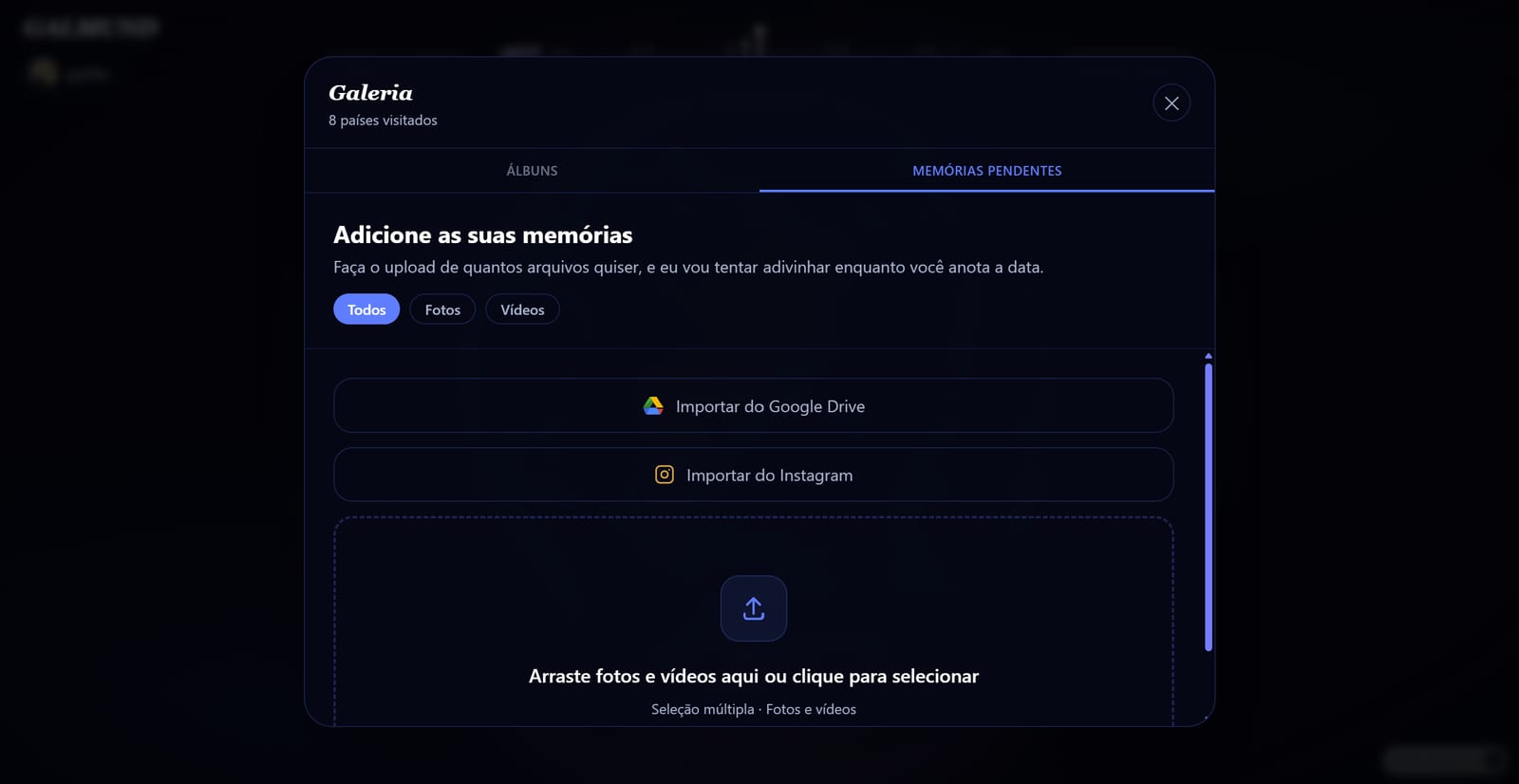
Drag and drop: drag a photo or video file directly onto the globe. The upload panel opens automatically.
Click to upload: hover over the left edge of the globe to reveal the upload panel, then click it or use the upload button (↑) in the top-left corner.
Photos on your phone?
On a computer, the upload panel shows Are your photos on your phone? Tap Continue on phone and scan the code with your phone's camera (it's valid for 5 minutes). On an iPhone, Galmund opens already signed in, so you pick the photos straight from your phone's gallery, and they show up on your computer as soon as you publish. On Android, the code takes you to the Galmund app on Google Play.
What happens next
Once you drop the files, Galmund processes each one:
GPS detected: if the file has GPS metadata (most smartphone photos do), the location is read instantly and the pin is placed automatically.
No GPS, AI detection: if there's no GPS data, Galmund's AI analyses the image to identify the location. This takes a few seconds.
Manual: if the AI can't determine the location, search for it yourself using the location field, which autocompletes addresses as you type.
Before publishing
For each file you can:
- Edit the label: give it a name (default: filename)
- Change the date: adjust the date if the file metadata is wrong
- Set visibility: choose Public (visible on your profile) or Private (only you)
- Rate the place: give the location a star rating (1–5) and an optional note. This helps build Galmund's community reviews.
💡 You can click "Fill in later" to save the files with their location and come back to add labels and dates afterwards. They'll wait for you in the memory queue (open it from the "memories waiting" bar at the top of the Gallery), and they're saved on your device, so they survive closing the tab or restarting your browser.
After publishing
The memory appears as a circular pin on your globe at the detected location. The country is highlighted in your visited countries list. Click the pin at any time to view, edit, or delete the memory.
Frequently asked questions
What file formats does Galmund support?
Photos: JPEG, PNG, HEIC, WebP. Videos: MP4, MOV, WebM. Files without GPS metadata are processed by AI to detect the location.
What happens if my photo has no GPS data?
Galmund's AI (Gemini) analyses the image and tries to identify the location based on visual landmarks, architecture, and scenery. You can also set the location manually.
Is there a file size limit?
Yes. Each photo or video can be up to 200 MB on Free and up to 2 GB on Galmund+ and Member. On top of that, each plan has a total storage: 200 MB on Free, 30 GB on Galmund+ and 100 GB on Member. Files are kept exactly as you uploaded them, without compression.
Can I upload multiple photos at once?
Yes. You can drag and drop multiple files at once, or select multiple files in the file picker. Each file gets its own memory pin on the globe.
I left some files unfinished in the queue: will I lose them if I close the tab?
No. Unfinished uploads are saved on your device (not just in memory), so they're still there in the queue the next time you open Galmund, even after closing the tab or restarting your browser.