Your own magnets
Photograph the fridge magnets you brought home from every trip and place each one on the right country of your globe.
Last reviewed: 2026-10-14
Every country you conquer already has an official magnet. Now you can add the real ones too: photograph the fridge magnets you brought home from your trips and place each one on the right country of your globe.
💡 For now, your own magnets are on the website (galmund.com). The Galmund app gets them later.
Where to find your magnets
Open your profile and tap See your fridge, in the row that shows how many magnets you have. My magnets opens on top of your globe (full screen on a phone), with one row per country you've conquered, sorted A to Z or By date. Each row shows that country's official flag magnet and the magnets you photographed, and a small check badge marks the magnet your globe shows for that country.
Use Search a country at the top to jump to a country. It's forgiving: no accents needed, part of the name is enough, and it works in English, Portuguese or Spanish (for example "usa" or "estados" both find the United States).
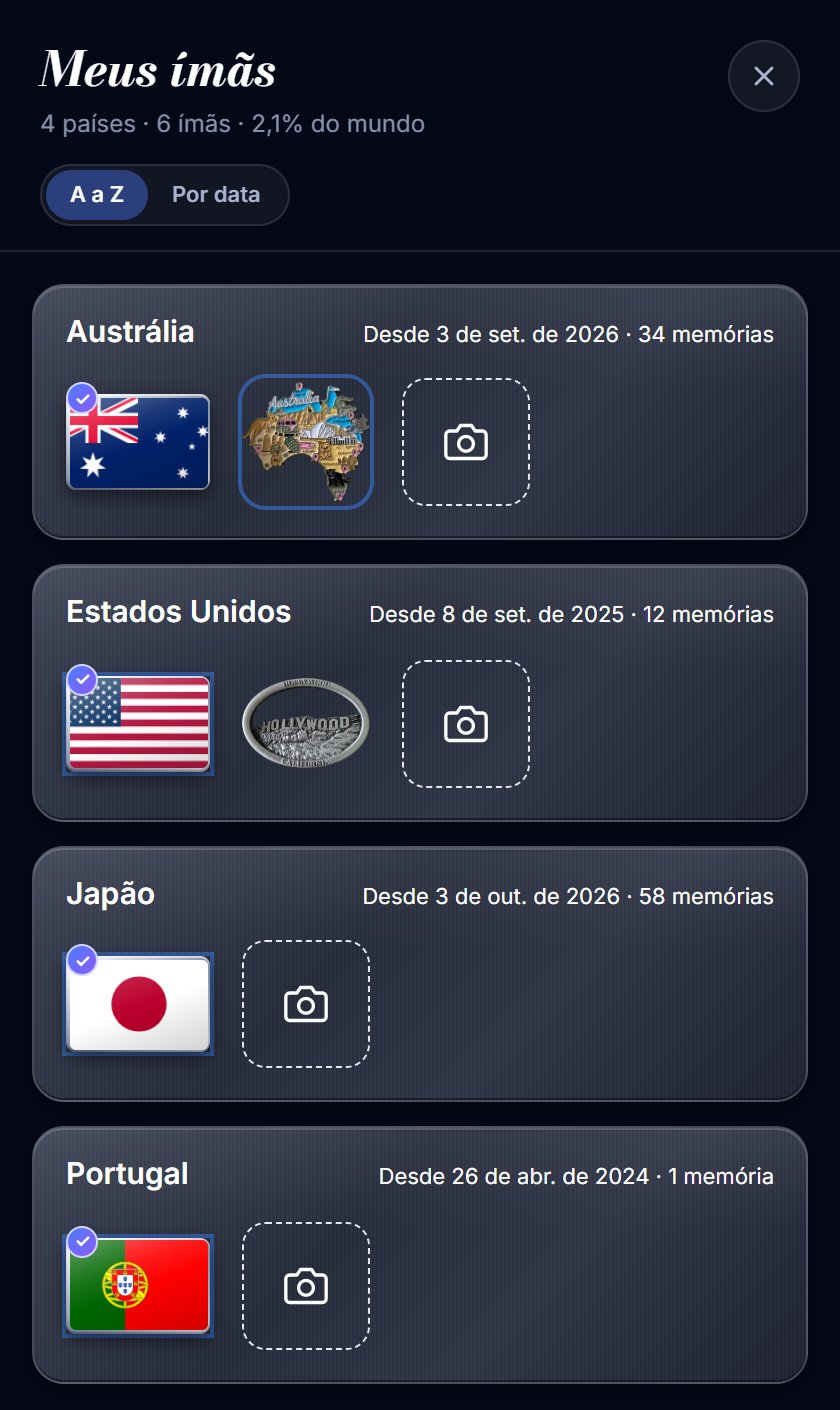
A country that isn't there yet
Tap Add a new country and pick it. Galmund opens your memory queue with that country chosen: publish a photo or video from that trip and its magnet unlocks. A country only gets a magnet once it has a memory.
How to photograph a magnet
- In the country's row, tap the camera tile at the end (Photograph my magnet).
- Galmund opens the camera (on a phone, or on a computer with a webcam). Place the magnet inside the frame: in your hand or still in its packaging is fine. Tap Take photo.
- While Creating your magnet shows, Galmund checks the picture, cuts the magnet out and polishes it into a magnet for your globe. It takes about 15 to 20 seconds.
- When Your magnet is ready, tap Use this magnet to keep it, or Retake to try again.
Galmund removes your hand, the packaging and the background. If something is wrong with the photo, it tells you why: too far or out of focus ("Take it closer and in focus, with the magnet filling the frame"), too dark, more than one magnet in the frame, or a picture that doesn't look like a fridge magnet. Then take it again.
⚠️ The first time, your browser asks to use the camera: allow it for this site. If you blocked it, tap the lock or camera icon in the address bar, allow the camera for galmund.com and try again.
Show it on your globe
Tap any magnet to open it. You can drag it to rotate it. Choose Set as default to make it the magnet your globe shows on that country: you go back to the list, and the check badge moves to that magnet. When an opened magnet is already the default, it reads "This is the country's magnet on your globe". You can switch back to the official magnet the same way.
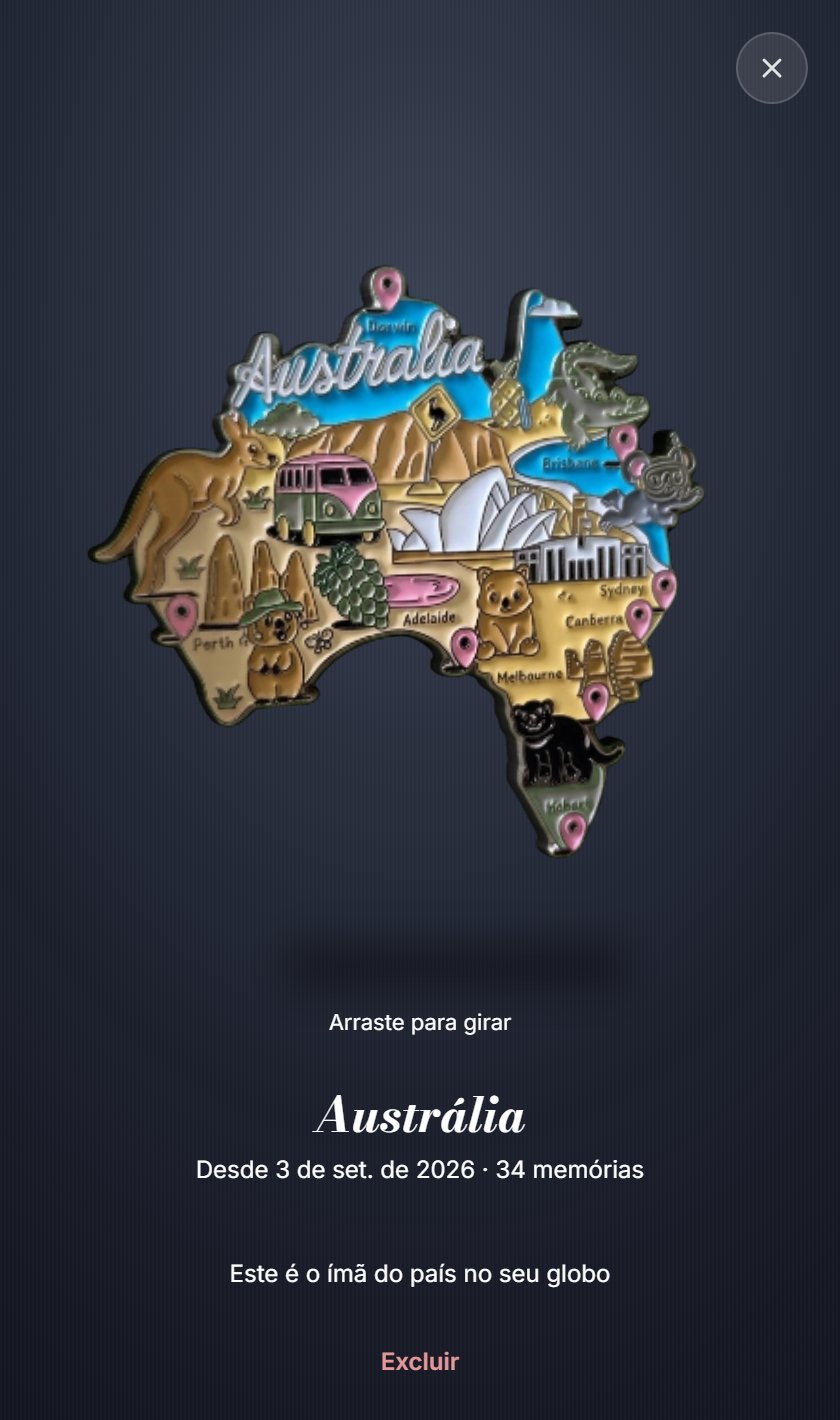
Deleting a magnet
Open the magnet, choose Delete and confirm. Only your magnet's image is removed, and the country goes back to its official magnet. The official magnet can't be deleted, and the country stays conquered, because it comes from your memories there. See country magnets.
Free and Galmund+
- Free: 1 magnet of your own in total, with up to 5 tries a day.
- Galmund+ and Member: unlimited magnets from your fridge, up to 30 new ones a day.
When you try to add a second magnet on the Free plan, Galmund shows what Galmund+ includes. See Upgrading your plan.
Frequently asked questions
Why can I only use the camera?
Because the photo is the proof that you have the real magnet. Your own magnets are souvenirs you brought home, so Galmund asks you to photograph them on the spot instead of uploading a picture from the internet or your gallery.
What happens to the photo I take?
Galmund keeps only the magnet itself, cut out from the background. The original photo is not stored: it's sent once to Google's Gemini, which checks it and cuts the magnet out, and then it's discarded.
How many of my own magnets can I add?
On the Free plan, 1 in total, with up to 5 tries a day. With Galmund+ or Member, as many as you like: up to 30 new ones and 30 tries a day. Retakes and rejected photos count as tries.
If I delete my own magnet, do I lose the country?
No. Only your magnet's image is deleted, and the country goes back to showing its official magnet. The country stays conquered, because that comes from your memories there.
Galmund asks me to take the photo again. Why?
The message says why: it was too far or out of focus, too dark, there was more than one magnet in the frame, or the picture didn't look like a fridge magnet. Get closer, find good light, photograph one magnet at a time and let it fill the frame.