Blocking someone
How to block a person on Galmund, what changes for each of you, and how to unblock them later.
Last reviewed: 2026-10-05
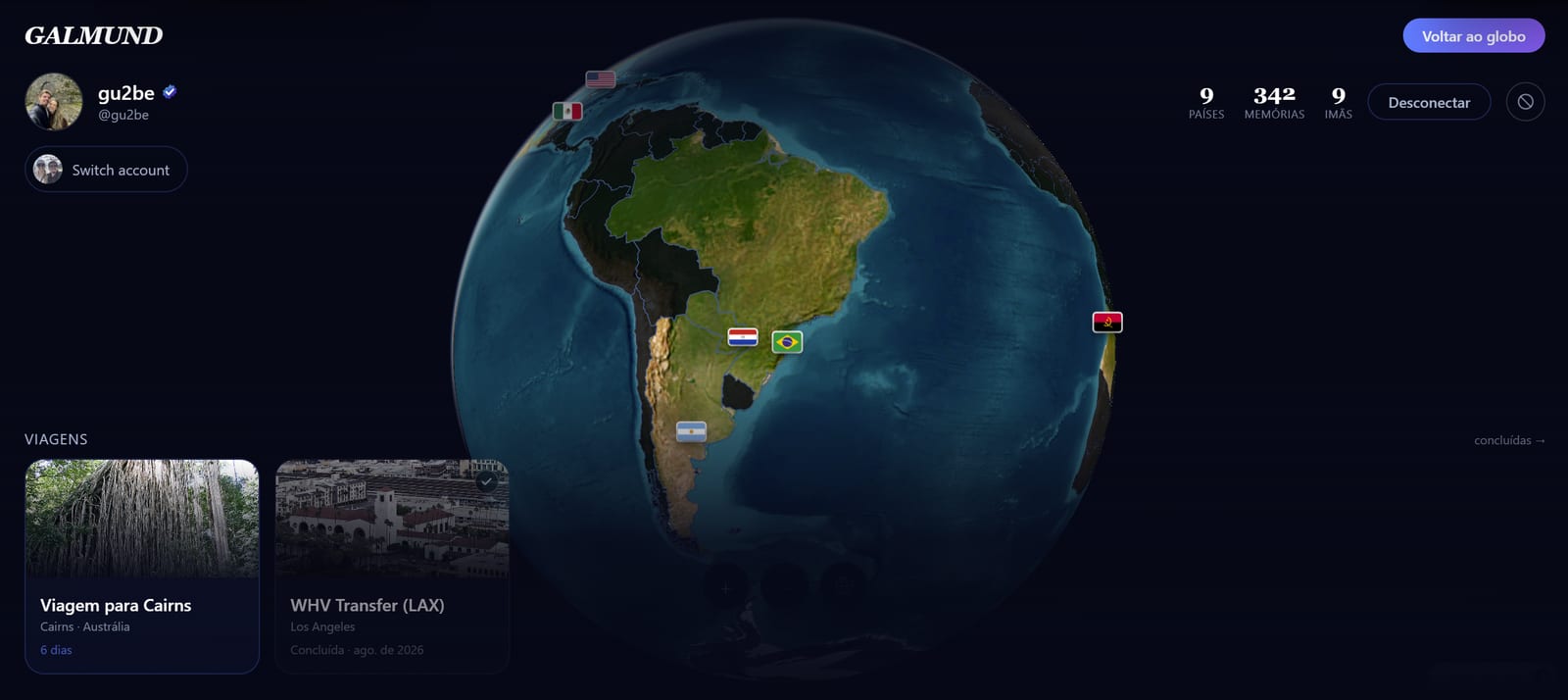
Blocking keeps someone away from your profile without any fuss. It's silent: the other person isn't told, and nothing on their side says that you blocked them.
How to block someone
- Open the person's profile (galmund.com/their-username, or tap their name in the community feed, in your connections or on a memory).
- Tap the More options button (the three dots) next to their name.
- Choose Block and confirm.
You need to be signed in, and the menu only appears on other people's profiles.
You can also block someone right after reporting them: when the report is sent, Galmund offers a Block button with the person's name. See Reporting a memory or a profile.
What changes after you block someone
For the person you blocked:
- Your profile looks as if it doesn't exist.
- You disappear from their search results and connection suggestions.
- They can't connect with you, send you a connection request or invite you to a trip.
- They can't tag you in memories, and you can't tag them.
- Trip replays between the two of you stop opening.
Between the two of you:
- An existing connection is removed, so your posts also stop showing up in each other's community feed.
- Tags still waiting for approval are cancelled in both directions. Memories that were already published stay.
For you, almost nothing changes: you can still open their profile.
💡 Blocking works the same on a computer and on your phone.
How to unblock
Open the person's profile again, tap More options and choose Unblock. It takes effect immediately.
Unblocking doesn't bring back the old connection. If you want to be connected again, send a new connection request from their profile. See Connecting with other travelers.
Frequently asked questions
Does the person know I blocked them?
No. Galmund doesn't send any notice. For them, your profile simply stops showing up: it looks as if it doesn't exist, and you no longer appear in their searches.
Can I still see the profile of someone I blocked?
Yes. Blocking hides you from them, not them from you. You can still open their profile, which is also where you go to unblock them.
What happens to a connection or a pending tag when I block someone?
The connection between you is removed, and any tag still waiting for approval between the two of you is cancelled. Memories that were already published stay where they are.
Where is my list of blocked people?
There isn't a list yet. To unblock someone, open their profile at galmund.com/their-username, tap the More options menu next to the name and choose Unblock.
Can a blocked person still join a trip I invited them to?
Neither of you can send new trip invites to the other. An invite sent before the block still works if they accept it, but it doesn't create a connection between you.