Setting up your profile
Configure your hometown, display name, currency, and privacy settings to personalise your Galmund experience.
Last reviewed: 2026-09-13
Your profile controls how Galmund looks and feels for you, and what others see when they visit your public page.
Opening profile settings
Click your avatar (top-left of the globe) to open your profile panel, then click Profile settings. Or navigate directly to galmund.com/profile.
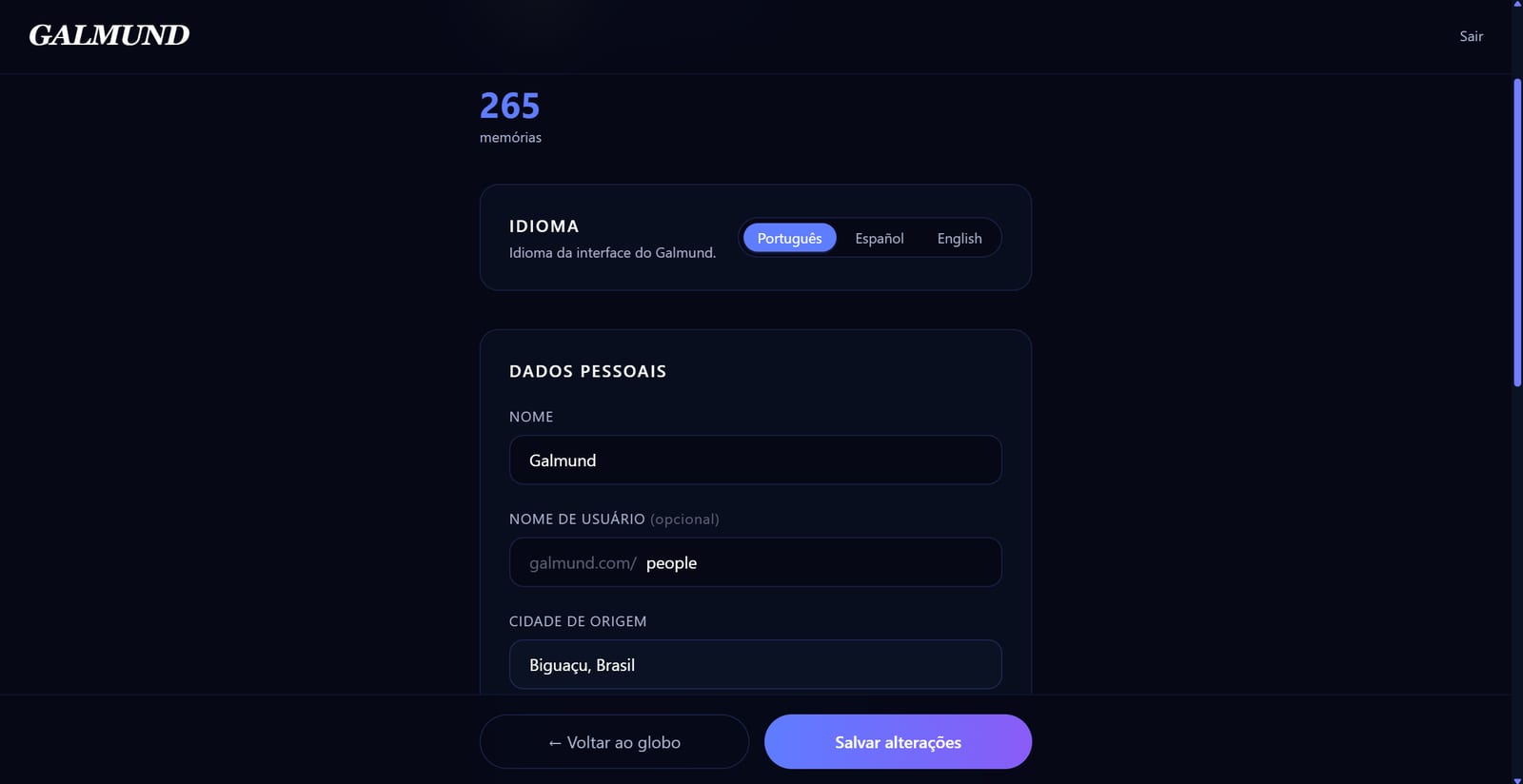
What you can configure
Display name
Your name as it appears on your profile and in collaboration invites. Choose anything you like: it doesn't have to be your real name.
Username
Your unique @handle, used in your public URL: galmund.com/u/username. Keep it short and recognisable.
Hometown
The city and country where you live (or are based). Galmund uses this to:
- Orient the globe when you open the app
- Show on your public profile (if visible)
Current location (optional)
A separate field from hometown, for where you are right now, shown to your connections only when you don't have a trip in progress. Leave it blank if you'd rather not share it; edit or remove it at any time.
Language
Choose between Portuguese, English, or Spanish. This changes the app interface and the language of place recommendations.
Currency
Your preferred currency for the trip budget feature. Supported: BRL, USD, EUR, GBP, JPY, ARS, MXN, and more.
Distance unit
km or mi: used in route distances on the map and in the schedule.
Privacy settings
If you created your account on or after September 2, 2026, your profile is already discoverable, with new memories and trips born public too. Older accounts keep whatever they had before. The three toggles, either way:
- Discoverable profile: allows other Galmund users to find you by username and connect with you
- Share memories: makes your public memories visible on your profile page
- Share trips: lets others see your trip itineraries on your public profile
Turn any of these off at any time in Profile settings.
💡 You can make individual memories private regardless of your global sharing setting. See the Public vs. private memories article for details.
Your public profile
Once discoverable, your profile is accessible at galmund.com/u/yourusername. It shows your visited countries, public memories, and shared trips, nothing else.
Frequently asked questions
Where do I find my profile settings?
Click your avatar or name in the top-left corner of the globe. A panel appears with a link to your full profile settings page.
What does 'hometown' do?
Your hometown sets the default orientation of the globe when you open Galmund. It also appears on your public profile if you choose to make it visible.
Can I change my username?
Yes. Your username appears in your public profile URL (galmund.com/u/yourname). It can be changed in profile settings as long as the new name isn't taken.
What currency should I set?
Set your preferred currency for the trip budget feature. Galmund will show all budget totals in this currency. You can change it at any time.