Privacy settings
Control who sees your profile, memories, and trips, and how your data is handled.
Last reviewed: 2026-10-05
Galmund gives you full control over your privacy. New accounts are created with discoverable profile and memory/trip sharing already turned on (a deliberate choice to make it easier to connect with other travelers from the start), but you can turn any of them off at any time.
💡 This only applies to accounts created on or after September 2, 2026. If you created your account before that and never enabled anything, your profile stays exactly as it was: only the default changed for new signups, existing accounts weren't touched.
The three privacy toggles
Open Profile settings and look for the Privacy section. You'll find three toggles:
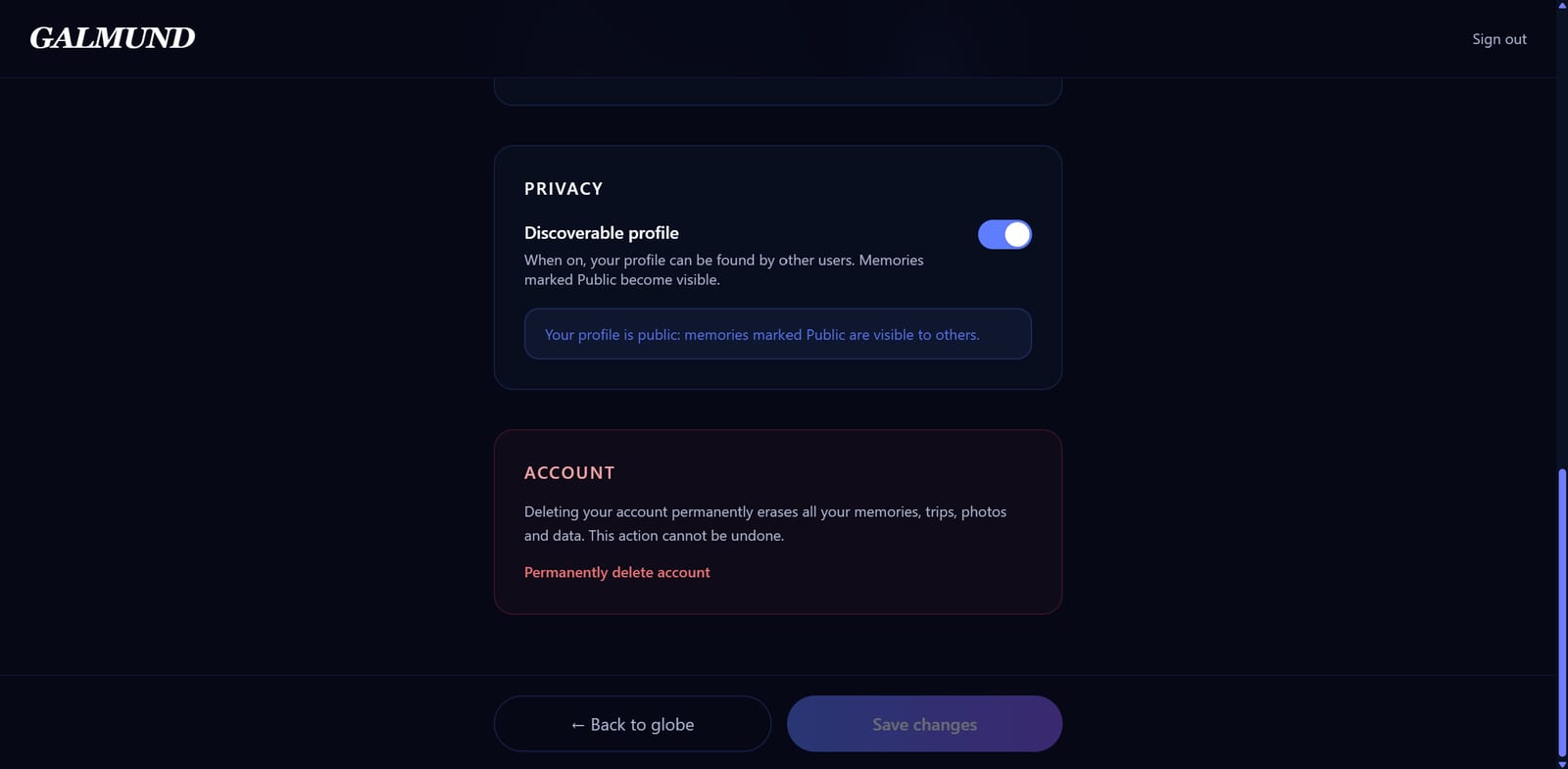
Discoverable profile
Makes your profile findable by username. With this off, galmund.com/u/username shows nothing to visitors (except your connections, who can always see your profile). On its own, this toggle doesn't expose any memories or trips: just the ability for someone to find and connect with you.
Share memories
Shows your memories on your profile globe. On by default for new accounts, and each new memory is also created public: you mark a specific memory private individually if you don't want it to appear.
Share trips
Displays your trips on your profile, viewable and duplicable by visitors. On by default for new accounts, and each new trip is also created public for the same reason.
💡 If you turn Discoverable profile off and then back on, Galmund asks whether you also want to make your existing memories and trips public (not just new ones going forward). You choose yes or no at that point.
Memory-level privacy
Beyond the global setting, each memory has its own toggle: Public or Private, and it's created Public by default.
A memory only shows up on your public profile if, at the same time:
- It has not been individually marked Private, AND
- Your profile has Share memories enabled
If either condition isn't true, the memory stays off your public profile.
What is always private
These are never shared, regardless of settings:
- Budget data (trip costs, expenses)
- Private memories (individually locked)
- Draft trips (trips not yet marked as shared)
- Your email address
- Your password
Deleting your account
Open Profile settings, scroll to the bottom, and click Permanently delete account. Galmund emails you a 6-digit code that expires in 10 minutes; entering it erases your account immediately, and it can't be undone. Export your photos and videos first if you want to keep them. Everything about paid plans, refunds, and what is kept for a while is in Deleting your account and data.
Email preferences
Product and lifecycle emails (welcome messages, onboarding tips, trip reminders, and similar) include an unsubscribe link at the bottom. Click it any time to stop receiving that category of email, or to resubscribe later if you change your mind.
💡 Account security emails (like your deletion confirmation code) and billing emails are never optional: they keep sending regardless of your unsubscribe status, since they're essential to using Galmund safely.
Frequently asked questions
Does Galmund sell my data, or share my trip budgets?
No to both. Galmund does not sell personal data: your memories, travel history, and trip data are used only to provide the service to you. Budget data specifically is never shared publicly or with collaborators; it's only visible to you.
If I make my profile private, do my memories still count toward visited countries on my own globe?
Yes. Privacy settings only affect what others can see. Your own globe always shows all your memories and visited countries regardless of privacy settings.
Does Galmund make my profile public without me asking?
New accounts are created with discoverable profile and memory/trip sharing already turned on, so you're findable by other travelers from the start. You can turn any of the three off at any time in Profile settings, and individual memories or trips can still be marked private.
How do I delete my account?
Open Profile settings and click 'Permanently delete account', then enter the 6-digit code sent to your email (it expires in 10 minutes). Deletion is immediate and can't be undone. If you have a paid plan, it is cancelled before the account is erased; see the Deleting your account and data article for refunds.
Can I stop receiving Galmund's product emails?
Yes, every product or lifecycle email (welcome, onboarding tips, trip reminders, and similar) has an unsubscribe link in its footer. Account security emails and billing emails never stop, since those aren't optional.