Deleting your account and data
How to delete your Galmund account, what goes with it, and what to do if you have a paid plan.
Last reviewed: 2026-10-14
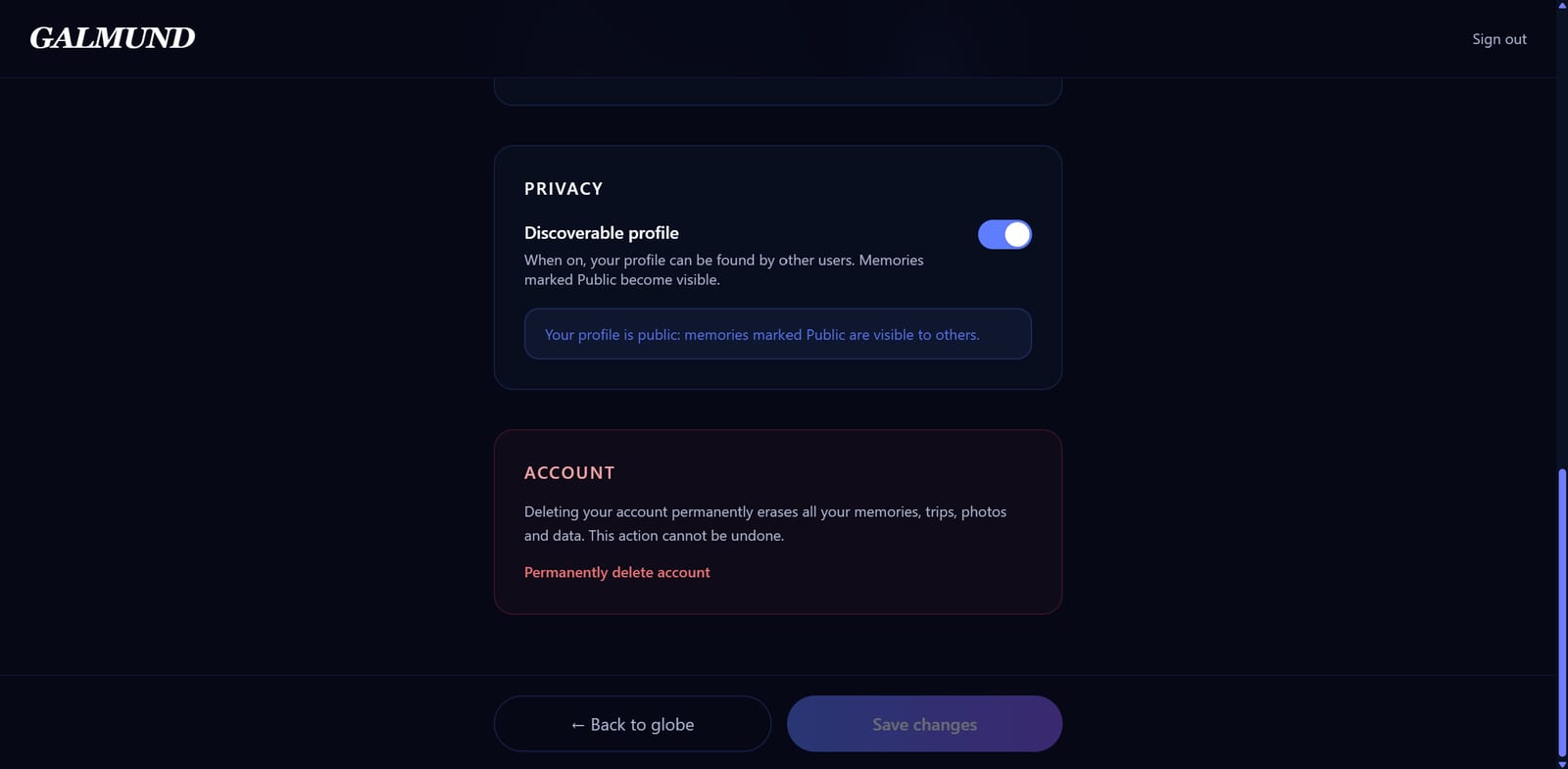
You can delete your Galmund account at any time, without talking to anyone. The path is the same on the website and in the app.
Before you delete: take your data
Deletion is permanent. To keep what you created, use Manage storage > Export memories: Galmund builds a ZIP with the original files of all your photos and videos, and the download link stays available for 7 days. Trips, schedules, and budgets are not part of the export yet, so write down anything you want to keep from them.
How to delete
- Open your account settings (on the website, at galmund.com/profile; in the app, through the gear on your profile).
- Scroll to the end and tap Permanently delete account.
- Read the warning and confirm.
- Enter the six-digit code sent to your email. The code expires in 10 minutes and works only once.
Deletion happens immediately.
If you have a paid plan
You can delete your account even with an active subscription. On the confirmation step, Galmund tells you the subscription will be cancelled. When you enter the code, the subscription is cancelled right away and only then is the account erased, so there are no further charges.
If you subscribed less than 7 days ago, we refund the full amount you paid. After that, the subscription is cancelled without a refund for the current period. The refund goes back to the card used for the payment, and how long it takes to show up on your statement depends on your bank.
If the cancellation does not go through at that moment, the account is not deleted and you see a message asking you to try again in a few minutes. If it keeps failing, email support@galmund.com.
What is deleted
- Your profile, username, and preferences.
- Your memories, including photos and videos stored in Galmund.
- Your trips, itineraries, budgets, and drafts.
- Your visited countries, magnets, connections, and invitations.
- The images of your own fridge magnets.
- The comments and reviews you wrote.
What may remain for a while
- Backups, erased on the normal retention cycle, within 30 days.
- Records required by law, such as payment receipts, when they exist.
- Memories shared with other people stay with whoever received them, until the last person deletes them too.
If you can't sign in
Email support@galmund.com from the account's email address, asking for deletion. We answer within 30 days.
Frequently asked questions
Can the deletion be undone?
No. Once you confirm with the code, your account and its content are erased and cannot be recovered. Export your photos and videos first if you want to keep them.
Do I need the app to delete my account?
No. You can delete from the website or the app, with the same path: account settings, 'Permanently delete account', and the six-digit code sent to your email.
I have a paid plan. What now?
You can delete it as usual. Galmund cancels the subscription right away, before erasing the account, and there are no further charges. If you subscribed less than 7 days ago, we refund the full amount you paid. After that, the subscription is cancelled without a refund for the current period.
What if I can't sign in?
Email support@galmund.com from the account's email address asking for deletion. We answer within 30 days, usually in a few business days.
Does uninstalling the app delete my account?
No. Removing the app from your phone keeps your account, memories, and any paid plan exactly as they are. To erase your account, use 'Permanently delete account' in your account settings.