Inviting people to a trip
Step-by-step guide to adding collaborators to your trip: from sending the invite to managing members.
Last reviewed: 2026-06-27
Collaborating on a trip means you and your travel companions can all add, edit, and refine the itinerary in one shared space.
Who should you invite?
Invite anyone who will be on the trip with you: travel partners, family members, or friends helping with the planning.
Step-by-step: sending an invite
- Open the trip in the Trip Planner
- Click the share icon in the trip header (person+ icon)
- Type the email address of the person you want to invite
- Click Invite: they receive an email with a link to join the trip
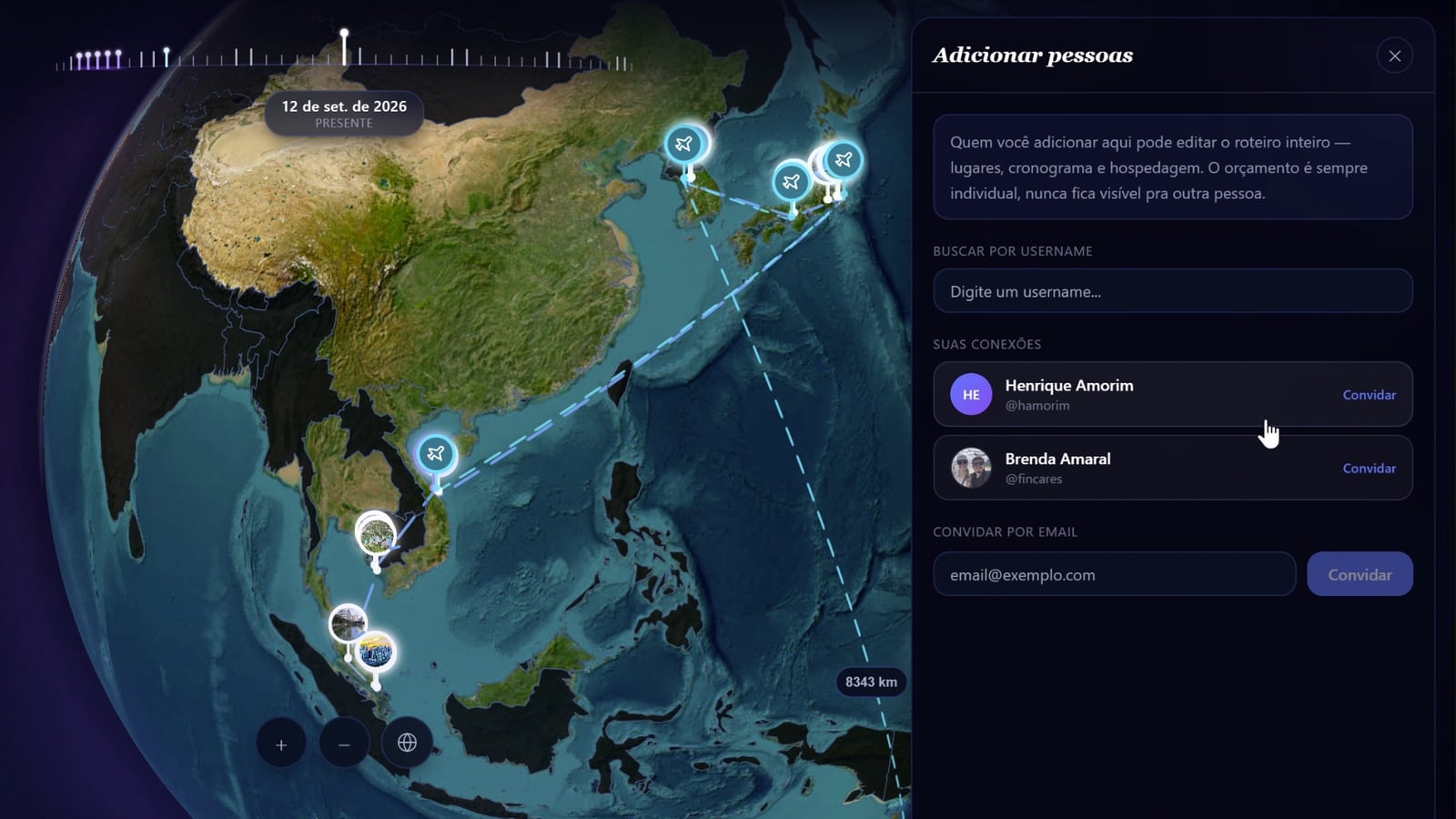
The invite link is valid for 7 days. If the person doesn't accept in time, you can resend it from the members panel.
Managing members
Open the members panel (same share icon) to see everyone currently on the trip:
- Owner: you (full control)
- Members: collaborators (can edit itinerary items)
To remove someone, click the × next to their name. They lose access immediately.
What collaborators can do
Collaborators have access to the full itinerary: adding and removing places, editing the schedule, adding flights and accommodation. They cannot invite others, delete the trip, or remove members.
See Viewing a shared trip for the collaborator's perspective.
💡 Invite your travel companions early, even before the itinerary is complete. They can browse recommended places and add their must-sees while you build the plan together.
Frequently asked questions
The invited person didn't receive the email. What should I do?
Ask them to check their spam folder. If it's not there, try resending the invite from the members panel. Make sure the email address is correct.
Can I invite someone who doesn't have a Galmund account yet?
Yes. The invite email will prompt them to create an account first. Once they sign up, the trip will appear in their account automatically.
What happens to the trip if I delete my account?
Trips you own are deleted with your account. Collaborators lose access. If you want to transfer ownership before deleting, contact support.
Can a collaborator invite other people to the trip?
No. Only the trip owner can invite new members.