Deleting a memory
Remove a memory from your globe permanently, including the original file from Galmund's storage.
Last reviewed: 2026-06-27
Deleting a memory removes it from your globe and permanently erases the original file.
⚠️ Deletion is permanent. Once a memory is deleted, the file cannot be recovered from Galmund. Make sure you have a copy elsewhere (Google Photos, iCloud, your device) before deleting.
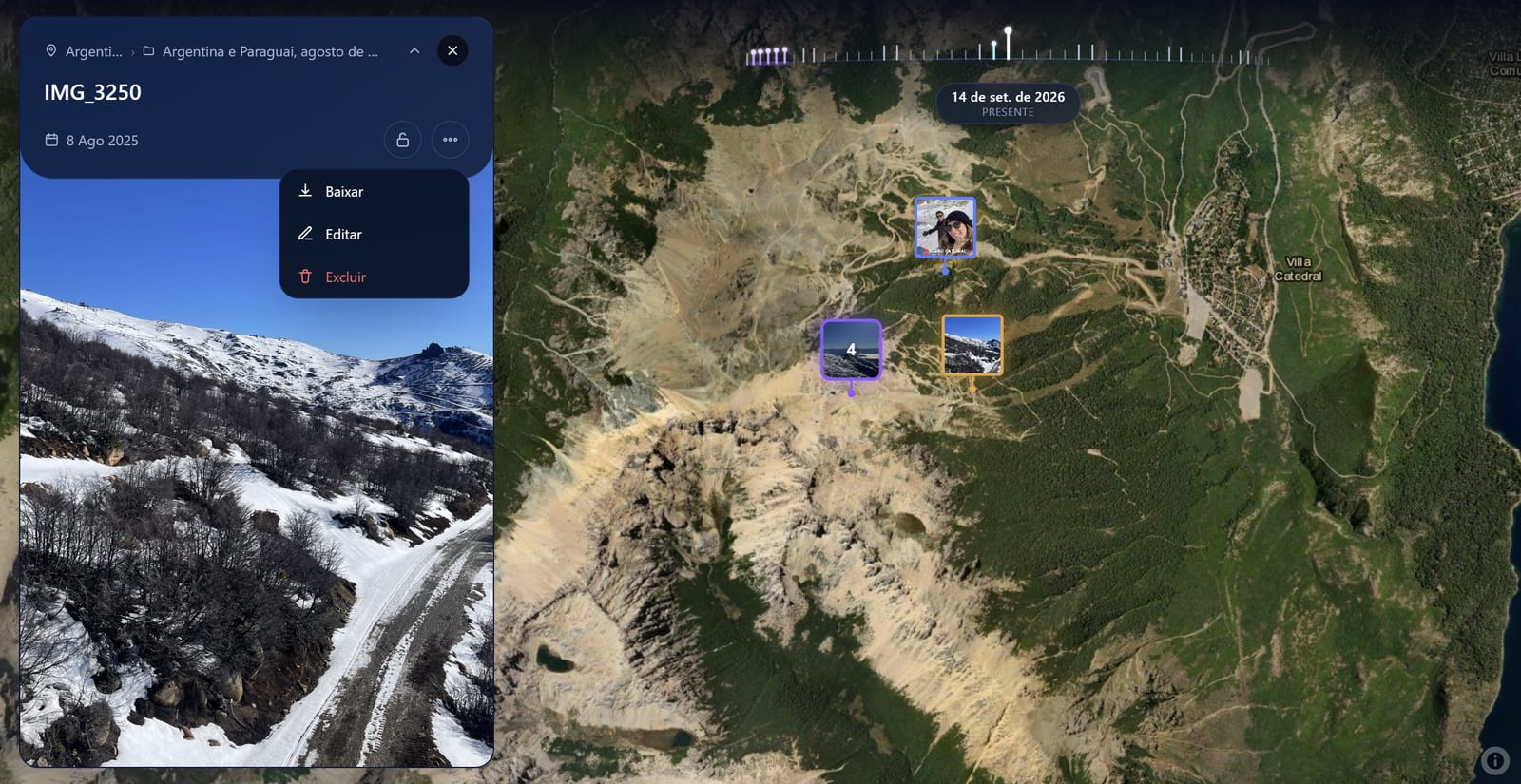
How to delete a memory
- Click the memory pin on the globe to open the memory modal
- Scroll to the bottom of the modal
- Click Delete memory
- Confirm the deletion in the confirmation dialog
What gets deleted
- The memory pin is removed from the globe
- The original photo or video file is deleted from Galmund's storage
- The memory no longer counts towards any reviews or ratings you gave the place
- If it was your only memory in a country, that country is removed from your visited list
Consider making it private instead
If you want to remove a memory from your public profile without permanently deleting it, consider setting it to Private instead. The pin stays on your personal globe but becomes invisible to others.
See Public vs. private memories for details.
Frequently asked questions
Is deletion permanent?
Yes. Deleting a memory removes the pin from your globe and permanently deletes the original file from Galmund's storage. This cannot be undone.
Will deleting a memory affect my visited countries?
Only if it was your only memory in that country. If you have other memories in the same country, the country remains highlighted.
Can I delete multiple memories at once?
Not currently. You need to delete memories one at a time from the globe. Bulk delete is on the roadmap.
I deleted a memory by mistake. Can I recover it?
No. Deletion is permanent and immediate. We recommend setting a memory to Private instead of deleting it if you're unsure.