Recapping and reliving a trip
When a planned trip ends, see the recap card with your numbers and photos, publish it to your connections, and relive the trip stop by stop on the globe.
Last reviewed: 2026-09-13
When a planned trip comes to an end, Galmund shows a recap card, and once you've added memories, you can relive the whole trip on the globe.
The recap card
Opening a finished trip shows Trip completed at the top of the card, with Where you went as a route, and numbers like days traveled and places visited.

With no photos yet, the spots that would hold the mosaic show up empty, named after each city: a direct prompt to click Add the photos from this trip. There's no publish button in that state.
With photos, the card shows Your best photos and videos in a mosaic, plus two controls:
- Include the photos in the recap: turns whether photos appear in the published recap on or off (stays locked, with a "your photos are not shared" warning, if Share memories is off in your profile)
- Publish recap: publishes it to your connections' feed
💡 "Not now" closes the card without publishing. It comes back the next time you open the trip, so there's no rush.
Click See details to close the card and open the trip page (see the article on your trip page), with the full itinerary and memories.
Reliving the trip: the replay
Inside the trip page, click See on globe to open the replay.
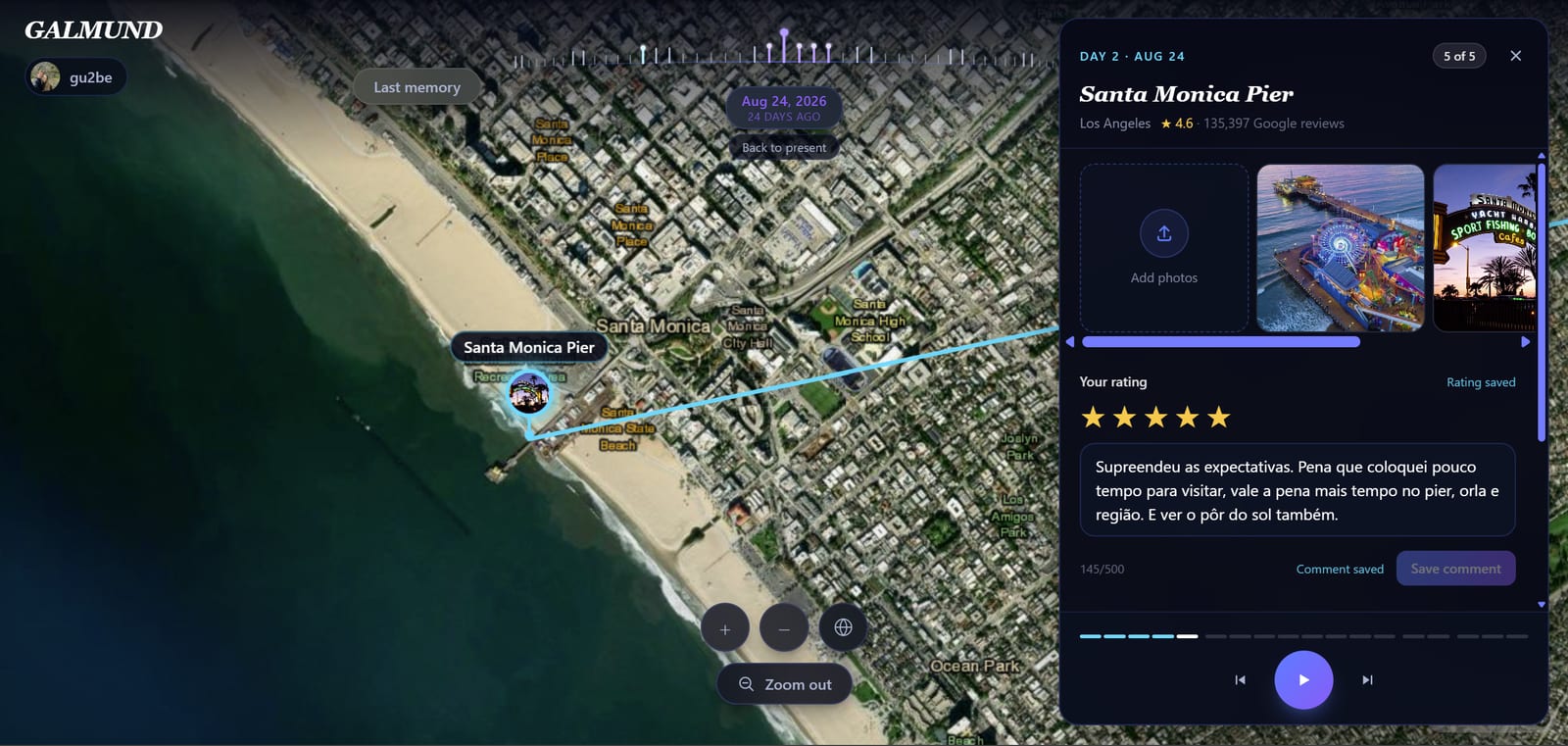
The camera frames the whole trip, descends to Day 1's first stop, and moves through the schedule on its own. Each stop first shows your own memories from that place, then photos and Google's rating, the description, and space for you to rate and comment on that specific stop.
- Tap the card or the map at any time to pause
- Use the play/pause and previous/next stop controls, or click a day marker to jump straight to it
- At the end, the whole trip lights up on the globe, and the replay resets to Day 1, first stop
💡 Your rating and comment for each stop save automatically as you type, nothing to confirm.
Frequently asked questions
Does the recap show up even if I haven't uploaded any photos from the trip yet?
Yes, but differently: instead of the photo mosaic, you see the trip's numbers (days, places) with empty slots named after each city, and a prompt to add photos, with no publish button, since publishing an empty recap doesn't help anyone.
Is publishing the recap required?
No. "Not now" closes the card without publishing anything. It shows up again any time you open the trip again.
Do my photos show up in the published recap even if I don't share memories?
No. If "Share memories" is off in your profile, the "Include the photos in the recap" toggle stays locked with a warning. Fix that in your profile first if you want photos included.
How does the replay work?
The camera frames the whole trip, descends to Day 1's first stop, and moves through the schedule on its own, stop by stop. Tapping the card or the map at any point pauses it. At the end, the whole trip lights up on the globe and the replay resets to the start.
Can I rate or comment on each stop during the replay?
Yes. Every stop has room for your rating and a comment, saved automatically as you fill them in.