The Community feed
See your connections' activity (published trips and memories), like, comment, and turn on Community mode to see where they are on the globe.
Last reviewed: 2026-09-13
The feed shows what your connections have been up to on Galmund: trips and memories they've made public.
💡 The feed's interface is currently in Portuguese only, regardless of your language setting: this article uses the exact labels you'll see, with the English meaning alongside.
Opening the feed
Turn on the Comunidade (Community) button on the globe. If you don't have any connections yet, Galmund opens the Connections panel instead of an empty feed. See the article on connecting with other travelers.
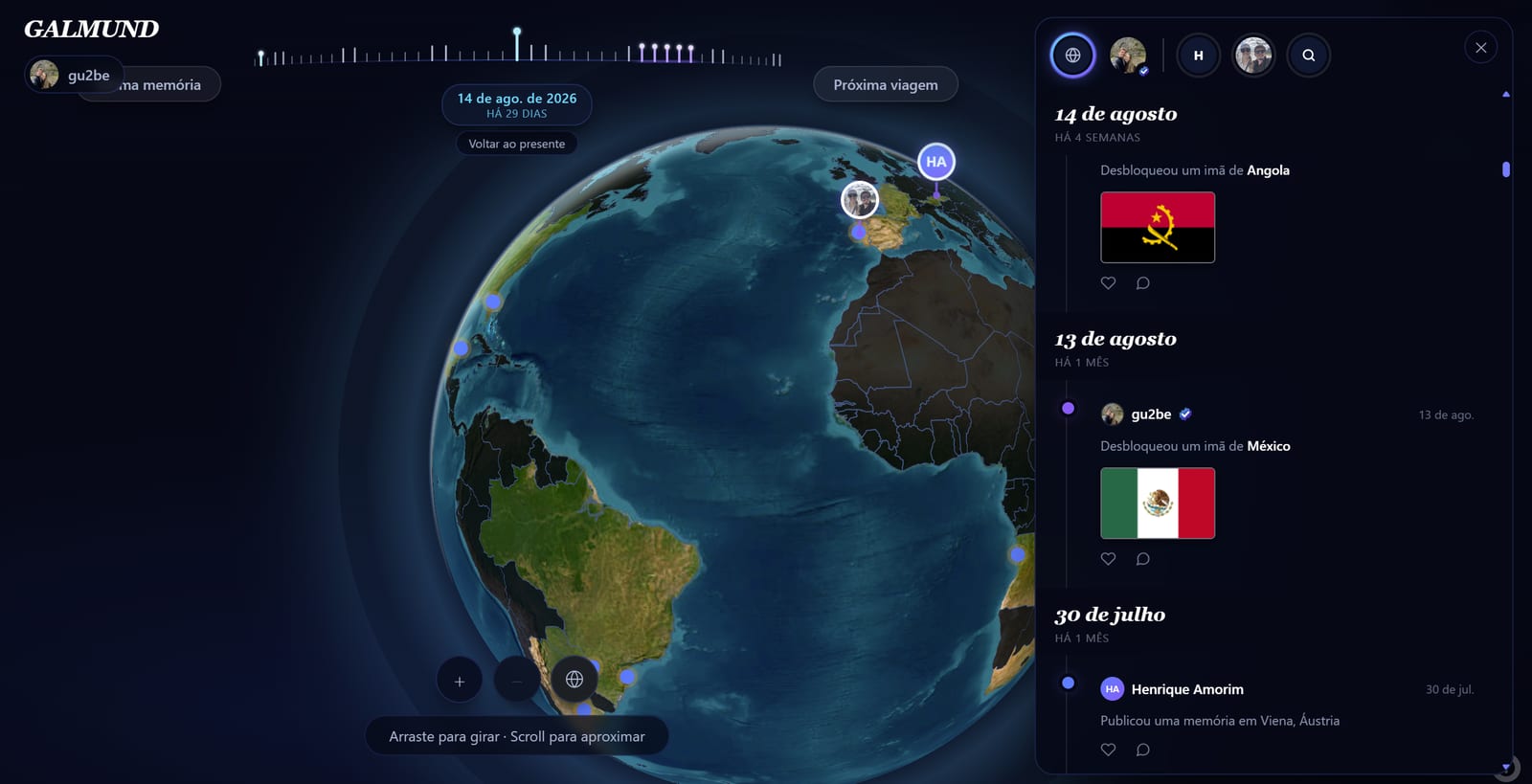
The people strip
At the top of the panel, a horizontal strip lets you filter by Tudo (Everyone), just Você (You), or one specific connection: click someone's avatar to see only their posts. A search field finds a connection by name right in that strip.
What turns into a post
- Trips a connection made public or shared: these show up with a condensed embedded itinerary
- Memories published with the "show on profile" option turned on
Trip posts show a duplicate button for the itinerary, if the person allowed duplication on that trip: the copy goes straight into your own Trips.
Liking and commenting
Every post has a like button (❤) and a comment button, with visible counts. Comments support replies, collapsed by default inside the thread.
The "Privado" (Private) tag
If one of your posts shows up tagged Privado, it's because the trip or memory behind it doesn't actually have sharing turned on: only you can see that post. Click the tag to see the explanation and the Tornar pública (Make public) button, which fixes it.
Community mode on the globe
Turning the feed on also enables an optional layer on your own globe with pins for your connections, based on the current location each of them filled in on their profile. You can turn this layer off any time without closing the feed.
Frequently asked questions
Who shows up in my feed?
Only your connections: there's no general public feed. See the Connections article to learn how to connect with other travelers.
Why does one of my posts show up tagged "Privado" (Private)?
It happens when the trip or memory behind the post doesn't actually have sharing turned on: the post exists, but only you can see it. Click the tag, then "Tornar pública" (Make public) to fix it, if you want it to actually show up.
Can I duplicate a trip's itinerary I see in the feed?
Yes, if the person allowed duplication on that trip. A trip post shows an embedded itinerary preview with a button to duplicate it straight into your own Trips.
What is Community mode on the globe?
It's an optional layer that shows pins for your connections on your own globe, based on the current location each of them filled in. You can turn it on and off any time without leaving the feed.
Can I comment on or report a post?
Yes, every post has a like and a comment button, with replies nested inside the comment thread.