Memory pins on the globe
Understand how memory pins appear on the globe and how to interact with them.
Last reviewed: 2026-07-18
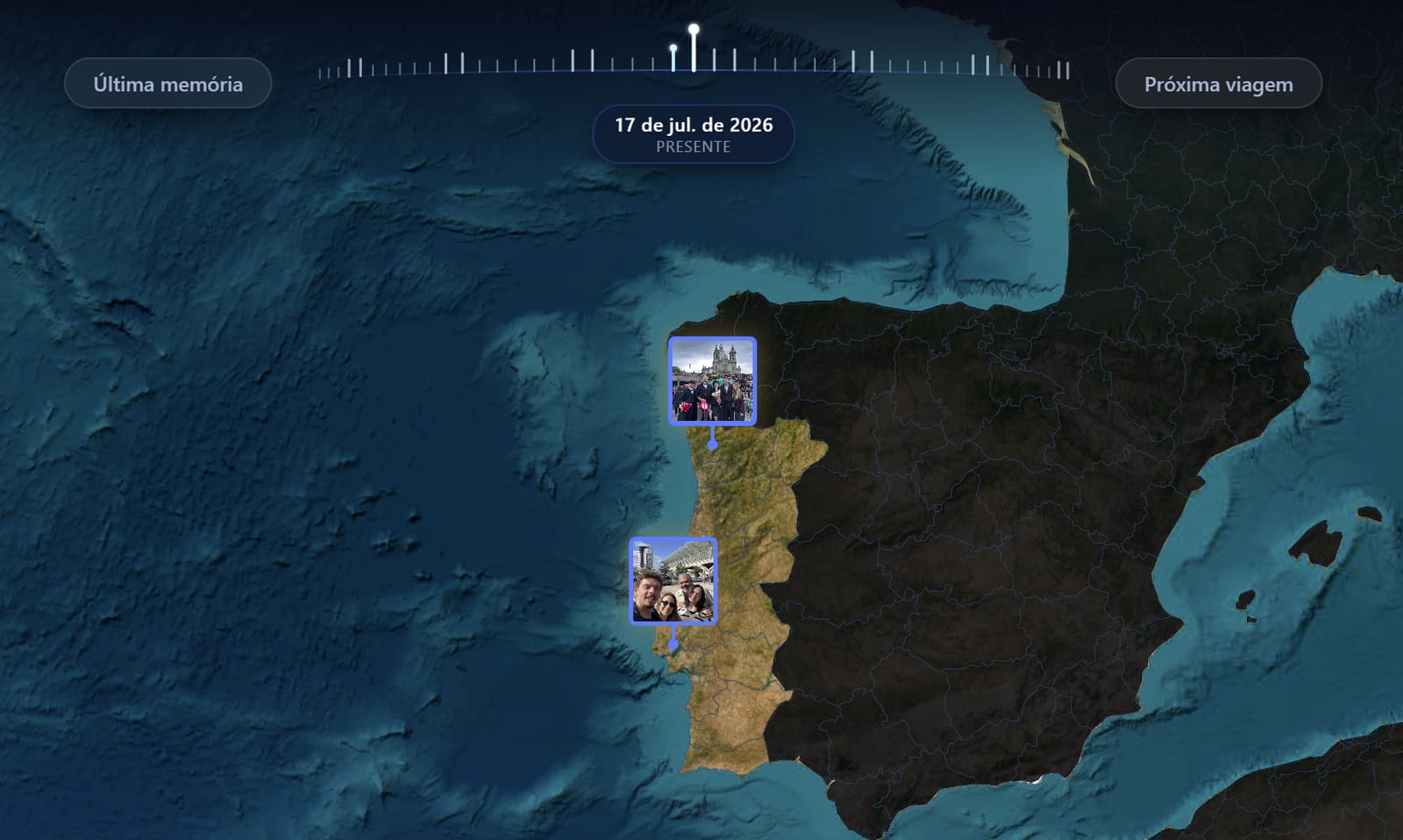
Memory pins are how your travel moments appear on the globe: circular thumbnails placed at the exact spot where each photo or video was taken.
When pins appear
Pins become visible when you zoom in past the country level. At world zoom, you see highlighted countries. At region zoom and below, individual pins appear.
What a pin shows
Each pin is a small circle with:
- A thumbnail of the photo or video
- A stem and dot indicating the precise location
- A tooltip with the memory label (on hover)
Clicking a pin
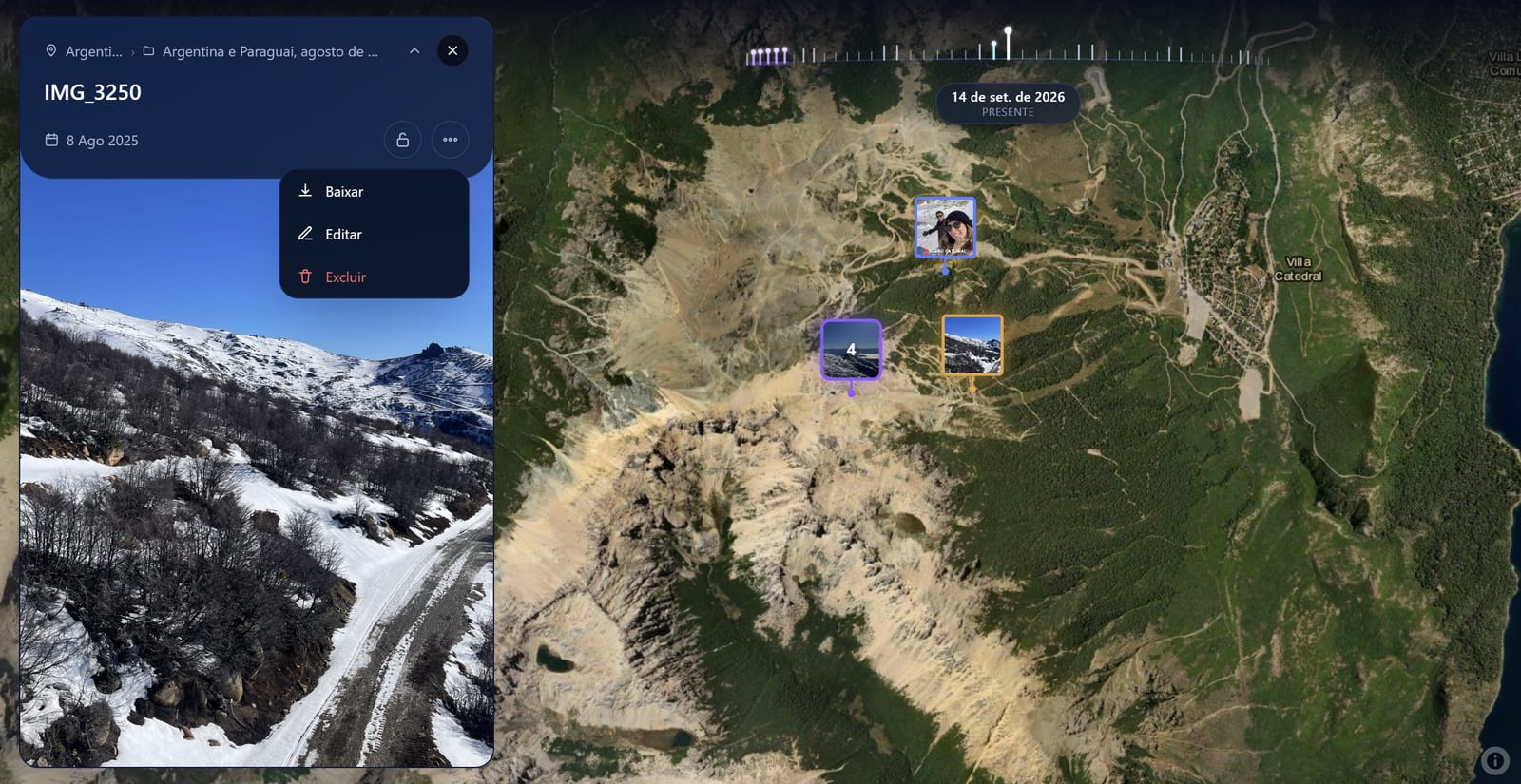
Click any pin to open the memory modal. The modal shows:
- The full photo or video
- The label, date, and location
- Options to edit or delete the memory
Trip destination pins
When you open a trip in the Trip Planner, the itinerary places appear as a different style of pin (blue circle with a number). These are trip destinations, not memories. Click them to see destination details, zoom in, or open the place information panel.
Recommended place pins
While browsing the Places tab in the Trip Planner, recommended places appear as preview pins on the globe as you scroll the carousel. These disappear when you close the planner.
💡 Zoom to street level in a city where you have many memories: you'll see a detailed satellite view with all your pins placed precisely on the streets where you were.
Frequently asked questions
Why don't I see pins when I zoom out?
Memory pins only appear when you zoom in enough to a region. At world-level zoom, the globe shows country highlights but not individual pins. Zoom into a country to see your pins there.
My pins are clustered together. Can I separate them?
Pins at very close coordinates may overlap. Zoom in further to separate them. At street level, even pins a few metres apart are distinguishable.
Can I change what a pin looks like?
Pins automatically show the thumbnail of the photo or video. If the memory has no image, it shows the first letter of the label. Custom pin styles are not available yet.