Creating your account
Sign up for Galmund in seconds and start building your travel globe.
Last reviewed: 2026-07-18
Getting started with Galmund takes less than a minute. All you need is an email address.
Step 1: Go to the sign-up page
Open galmund.com and click Get started on the homepage, or go directly to galmund.com/login.
Step 2: Enter your details
Fill in your email address and choose a password (at least 8 characters). Your email will be used to log in and receive account notifications.
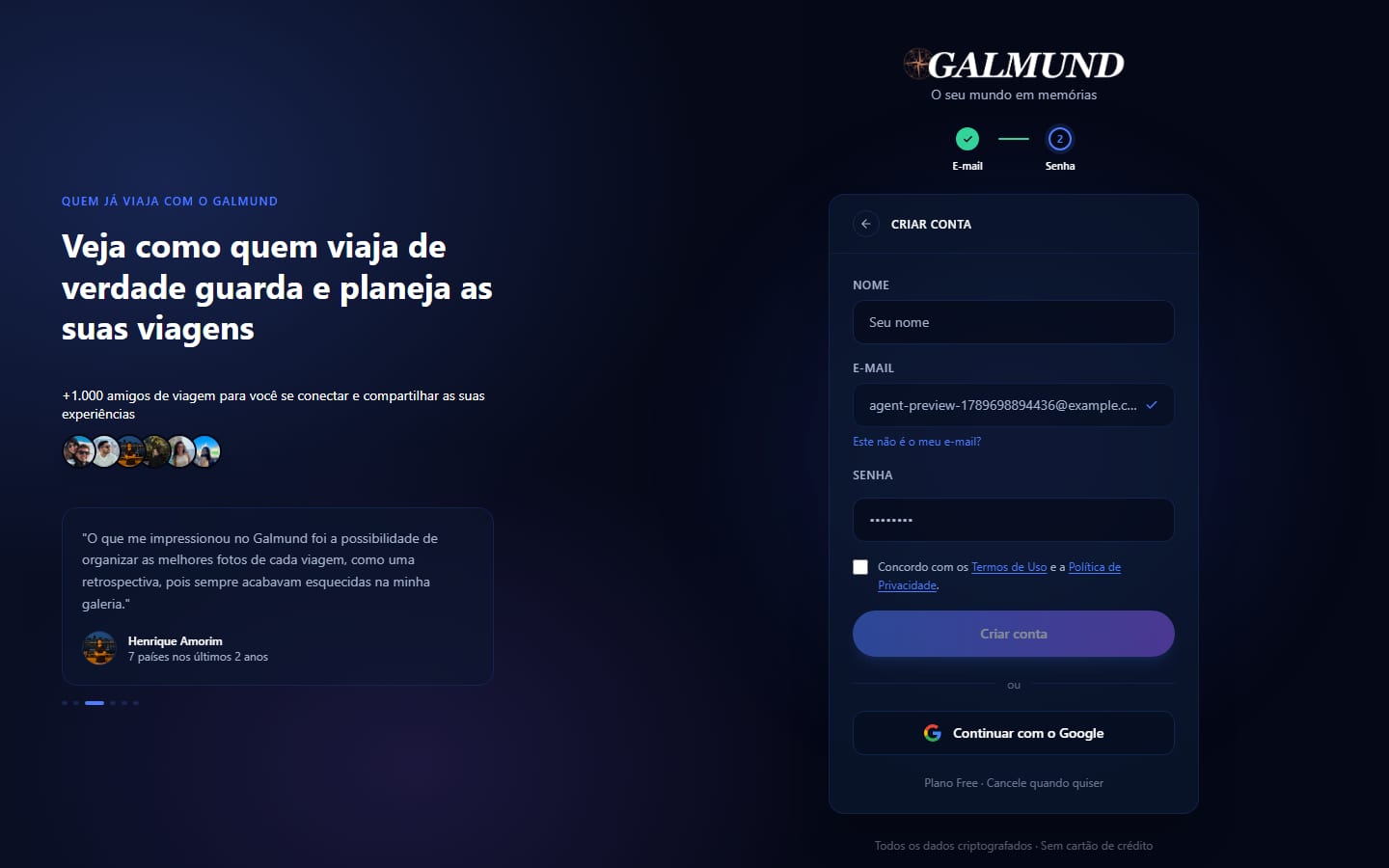
💡 Don't want to set a password? Click Continue with Google on the same screen instead: your account is created and verified in a single click.
Step 3: Confirm your email
Galmund sends a 6-digit code to your email: enter it to activate your account. The code is valid for 15 minutes; request a new one from the login page if it expires. Until you confirm, you can't access the globe or your profile settings.
💡 Signing up with an email that already has an account? You'll see that right away, with a link straight to the login form: no guessing required. If that account was created with Google, Galmund also offers a one-click "Sign in with Google" button instead of a password field that will never match.
Step 4: You're in
Once confirmed, you're redirected to the globe. You'll see an empty globe with your hometown highlighted: that's your starting point.
💡 Set your hometown in profile settings right after signing up. Galmund uses it to orient the globe when you first open the app.
What happens next
Your account is ready. You can now:
- Upload your first memory: drag and drop a photo or video onto the globe
- Create a trip: open the Trip Planner and plan your next destination
- Explore your globe: spin it, zoom in, hover over countries to see your stats
You don't need to do anything in a specific order: the globe grows as you use it.
Frequently asked questions
Is Galmund free?
Yes. Creating an account and using all core features is free. A paid plan unlocks higher storage limits and advanced features when available.
Can I sign up with Google or Apple?
You can sign up with Google: click 'Continue with Google' on the login page to create and verify your account in one step, no password needed. Apple sign-in isn't available yet.
I didn't receive the confirmation code. What should I do?
Check your spam folder first. If it's not there, request a new code: each one is valid for 15 minutes. Contact support if the problem persists.
What if I already have an account with that email?
Sign-up tells you right away and offers a link to log in instead. If that account was created with Google, there's no password to check against: Galmund detects this and offers a one-click 'Sign in with Google' button instead of making you guess.
Can I change my email address after signing up?
Yes. Go to your profile settings and update your email. You'll receive a confirmation code at the new address.