Creating a trip
Walk through Galmund's trip-creation wizard: country, cities, dates, flight, and stay, to start planning.
Last reviewed: 2026-09-13
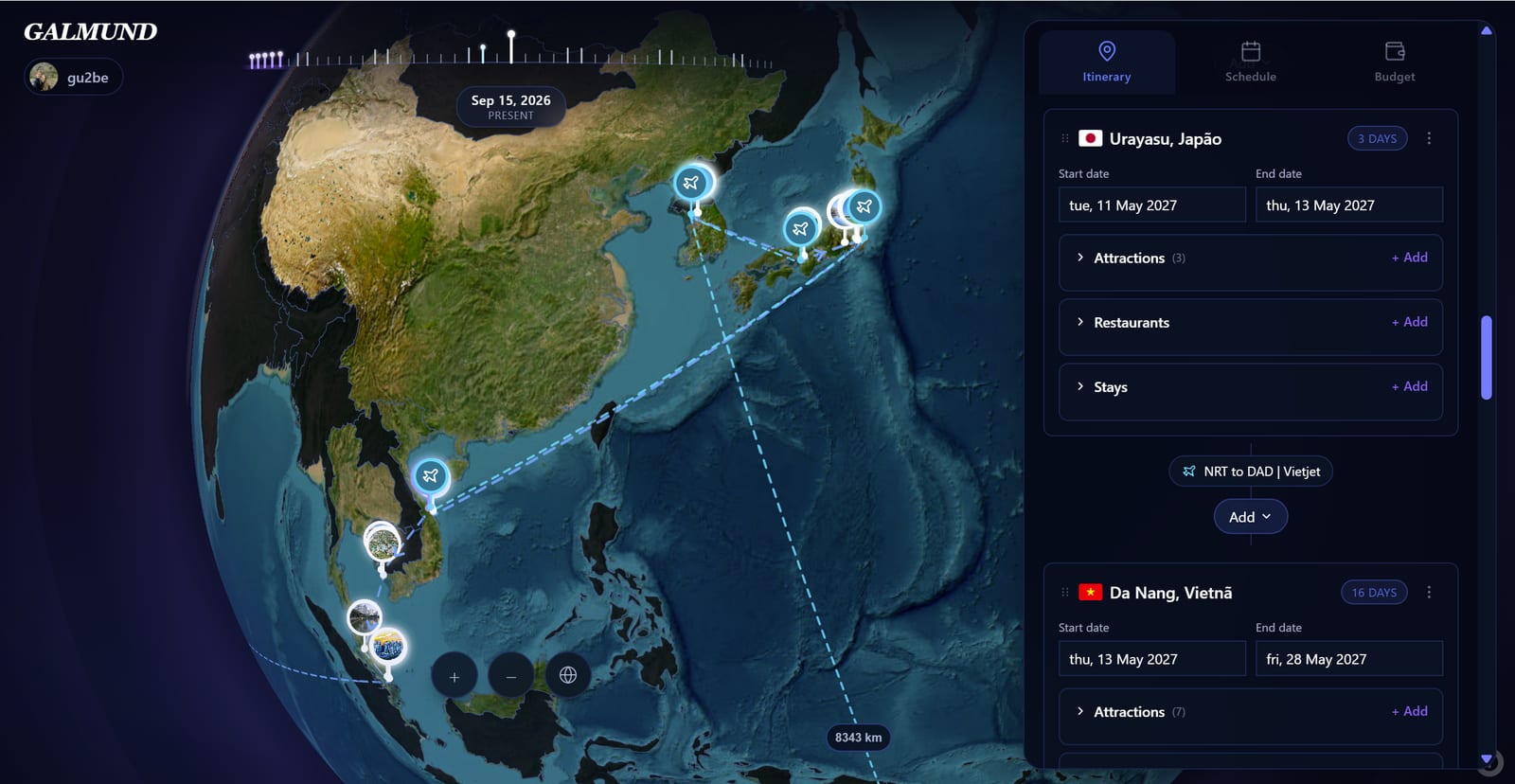
Creating a trip in Galmund is a multi-screen wizard: country and name, cities, dates, and, if you already have them, flight and stay. Here's how to go through it.
Opening the wizard
There are three ways to start:
- From the globe: hover over any country and click Plan trip in the tooltip
- From My Trips: click your profile or the "Trips" button, then click + New trip
- From the Explore panel: search for a city, country, or specific place and click Create trip on its detail card
Screen 1: name and country
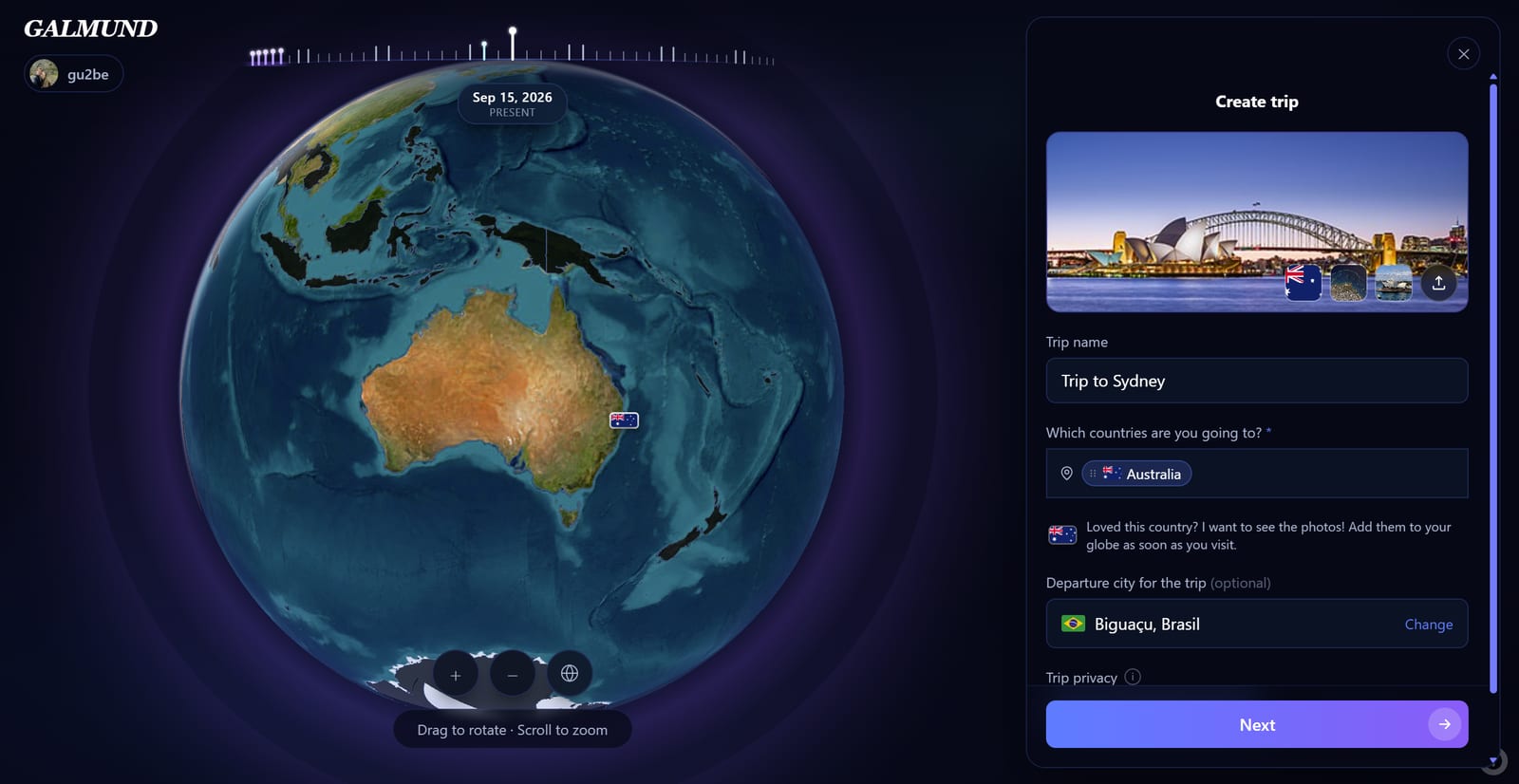
- Trip name: Galmund suggests one automatically; edit it if you want
- Which countries are you going to? (required): type and select from the dropdown; add more than one if the trip crosses borders, each becomes its own chip
- Departure city (optional): where you're leaving from, used later to place the first transportation segment
Click Next to continue.
Screen 2: cities
Which cities do you want to visit? Pick at least 1 city per country you selected on the previous screen; without that, the Next button stays disabled.
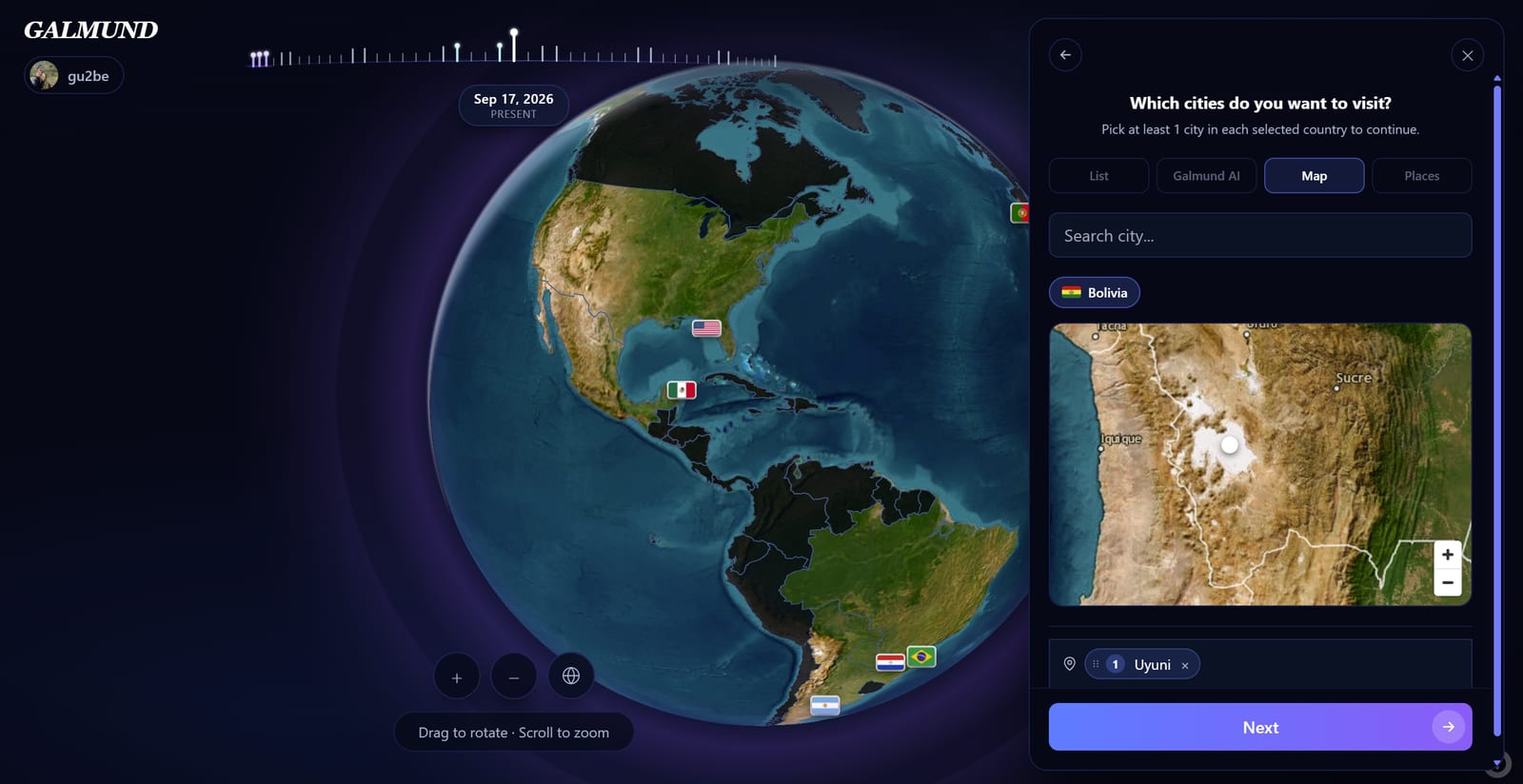
Four ways to pick: a suggestions list, a search for a specific attraction (say, "Eiffel Tower"), Galmund AI, or the interactive map, where you pan and zoom to see cities near the ones you've already confirmed.
💡 You can add more cities later, once inside the trip. This screen only requires the minimum of 1 per country to move on right now.
Screen 3: dates
When is your trip? Pick a start and end date on the calendar, or click I don't have dates yet and just enter a number of days.
Screens 4 and 5: flight and stay (optional)
Have you found your flight? and Have you found your stay? Answer "Yes" to fill in the details right away, or "No" to skip and add them later, from inside the trip.
Final screen: trip created
A celebration screen confirms your trip is ready, with a Get started button. On your first trip, Galmund also shows the 10 most visited landmarks in the country. Swipe to add or skip each one, Tinder-style.
From there you land on the Itinerary tab, ready for you to keep adding attractions, restaurants, transportation, and stays.
💡 The country you're travelling to is automatically highlighted on the globe when you open your trip, giving you a visual context for planning.
Frequently asked questions
How many trips can I create?
You can go through the wizard as many times as you like, but on the Free plan only one trip can be in "planning" status at a time. That limit is only enforced at the very end of the wizard, so you can fill in everything (dates, flight, stay) on a second trip before hitting it. Mark a trip as done (or delete it) to free up space, or upgrade to plan several at once.
Do I have to pick a city, or can I plan for a whole country?
A city is required today: the wizard asks for at least 1 city per selected country before letting you continue. If you only know the country, pick any city to start with (the capital, say) and adjust later; you can add as many more cities as you like once inside the trip.
Can I plan a trip to multiple countries?
Yes. Add more than one country on the wizard's first screen (each becomes its own chip), then pick at least one city for each on the next screen.
I closed the wizard partway through. Do I lose what I entered?
No. If you close (✕) during the first two screens (country/cities), Galmund saves a draft and shows a "Continue"/"Discard" prompt next time you open the wizard. If you close later on (dates, flight, or stay), the trip already exists for real: reopening it from the Explore panel resumes at the exact screen you left off on.
Can I share or delete a trip?
Yes to both, once the trip exists. Open the trip settings (⚙ icon) to rename, delete, or invite collaborators. See the Collaboration articles for details on sharing. You can also quick-delete a trip from its "⋮" menu in the Explore panel's trip list, without opening it first.