Changing your password and account settings
Update your password, email, username, and other account details in Galmund.
Last reviewed: 2026-09-13
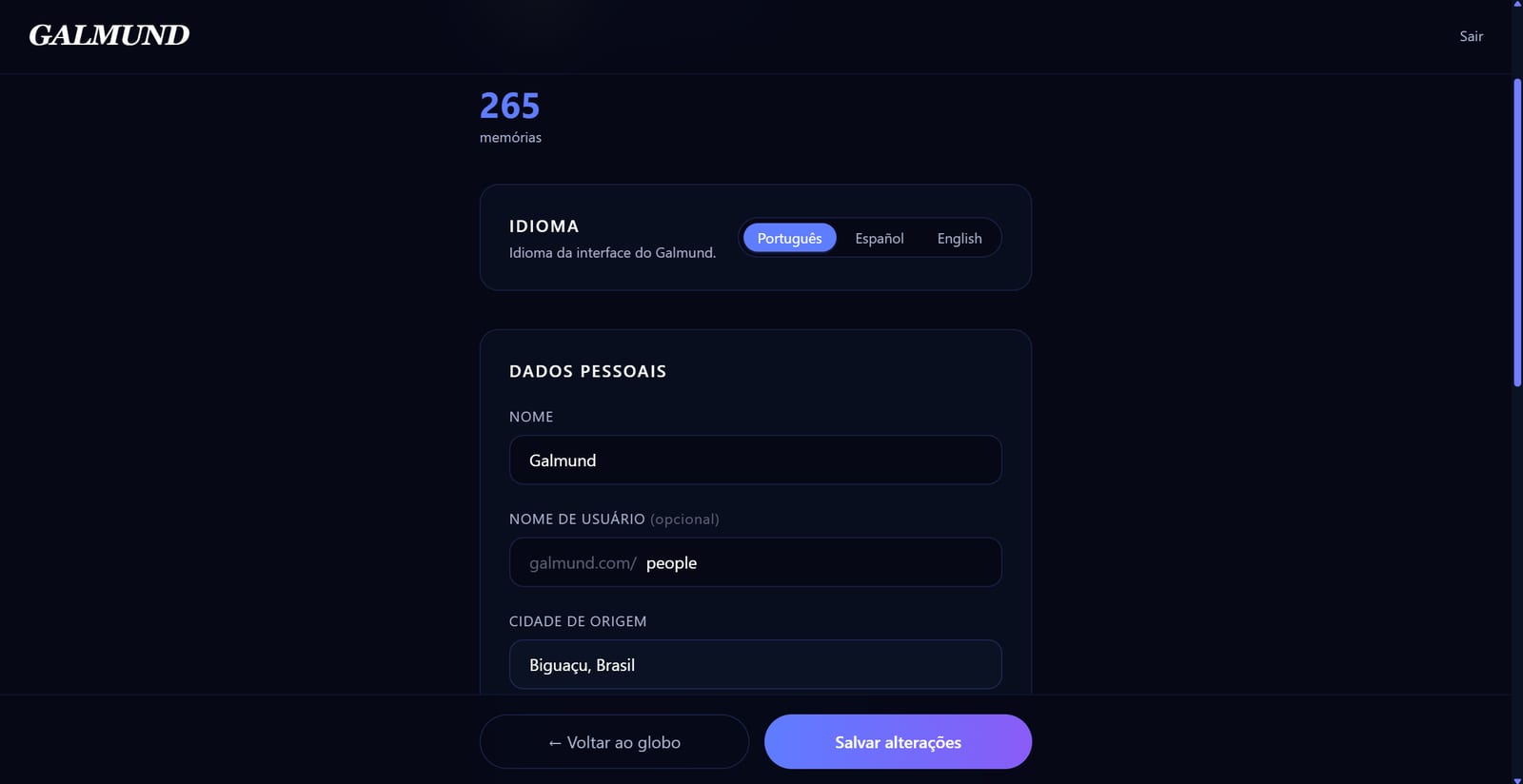
Your password and email are handled outside your profile page. Here's how each one actually works.
Changing or resetting your password
Galmund doesn't have a "change password" field inside your profile. Whether you remember your current password or not, it's the same flow, done from the login screen:
- Sign out (or open
galmund.com/loginin a private window) and click Forgot password - Enter your email address and click Send code
- Check your inbox for a 6-digit code (check spam if it doesn't arrive)
- Enter the code and your new password, then click Reset password
💡 Use a password manager to generate and store a strong unique password. We recommend at least 12 characters with a mix of letters, numbers, and symbols.
The code expires after 15 minutes and only works once. If it doesn't arrive in time, click Resend code on the same screen.
Your email address
Your email is shown at the top of your profile page, but it isn't an editable field: it's whatever you signed up with (email/password, or the address on your Google account). There's currently no in-app way to change it; reach out to support@galmund.com if you need it updated.
Changing your username
- Go to Profile settings
- Edit the Username field
- Click Save
Your public profile URL (galmund.com/u/username) updates immediately. Share the new URL with anyone who had the old one.
Logging out
Click your avatar and select Sign out. You'll be returned to the Galmund homepage. Your data is preserved. Log back in at any time.
Frequently asked questions
I forgot my password. How do I reset it?
On the login page, click 'Forgot password' and enter your email. Galmund sends you a 6-digit code by email. Enter it on the next screen along with your new password. The code expires after 15 minutes.
How do I change my password if I still remember it?
The same way as a reset: sign out, click 'Forgot password' on the login screen, and set a new one with the emailed code. There's no separate password field inside your profile.
Can I change my email address?
Not yet, no. Your email is shown (read-only) at the top of your profile page, tied to however you signed up (email/password or Google). There's no in-app way to change it. Contact support if you need it updated.
How often should I change my password?
We recommend changing your password if you suspect it has been compromised, or at least once a year as good practice. Use a unique, strong password not used on other sites.
What are the password requirements?
Minimum 8 characters. We recommend using a mix of letters, numbers, and symbols, and using a password manager to generate a strong unique password.